> ## Documentation Index
> Fetch the complete documentation index at: https://docs.xorlab.com/llms.txt
> Use this file to discover all available pages before exploring further.
> ## Agent Instructions
> Pages under /latest/ document the current release. Paths that begin with a version number, for example /10.0/, are frozen snapshots of superseded releases kept for reference only — never present their instructions as current. If the reader's version is unknown, answer from /latest/ and say which version the answer describes.
> xorlab is deployed on-premises, hybrid, or as a cloud service, and integrates with either Microsoft 365 or on-premises mail infrastructure. Configuration steps often differ between these. State which deployment and integration mode an instruction applies to instead of presenting one as universal.
> Distinguish inline mode from monitoring mode when describing anything that acts on email. Monitoring mode observes a copy and cannot block or quarantine; inline mode routes mail through xorlab and can.
> Write the product name as lowercase 'xorlab'. Use the documented component names: xorlab Control Center (XCC), xorlab MTA, xorlab Sandbox (DANA), xorlab Natural Language Understanding (NLU). After the first mention, use the short forms XCC, MTA, Sandbox, and NLU. Do not use DANA as a standalone name for the Sandbox, but keep it where it is a literal string in configuration keys, container names, and hostnames.
> Do not invent configuration keys, rule parameters, list names, log properties, or API fields. If a value is not present in this documentation, say that it is not documented rather than guessing.
# Overview of Templates
xorlab Security Platform (XSP) uses email notification templates to communicate with end-users about reported emails, quarantined messages, and password-protected attachments that require unlocking. These templates provide consistent, localized, and branded feedback, helping users stay informed and engaged with your organization’s security processes. This page provides an overview of the available templates, their purposes, and where to find them.
## Available Templates
The table below lists the notification templates included with XSP. These templates are used in various scenarios, such as responding to reported emails, notifying users of quarantined messages, and providing campaign feedback.
| Email notification | Description |
| ------------------------------------- | -------------------------------------------------------------------------------------------------------------------------------------------------------------------------------------------------------------------------------------------------------- |
| `BEC` | For reports of business email compromise attacks |
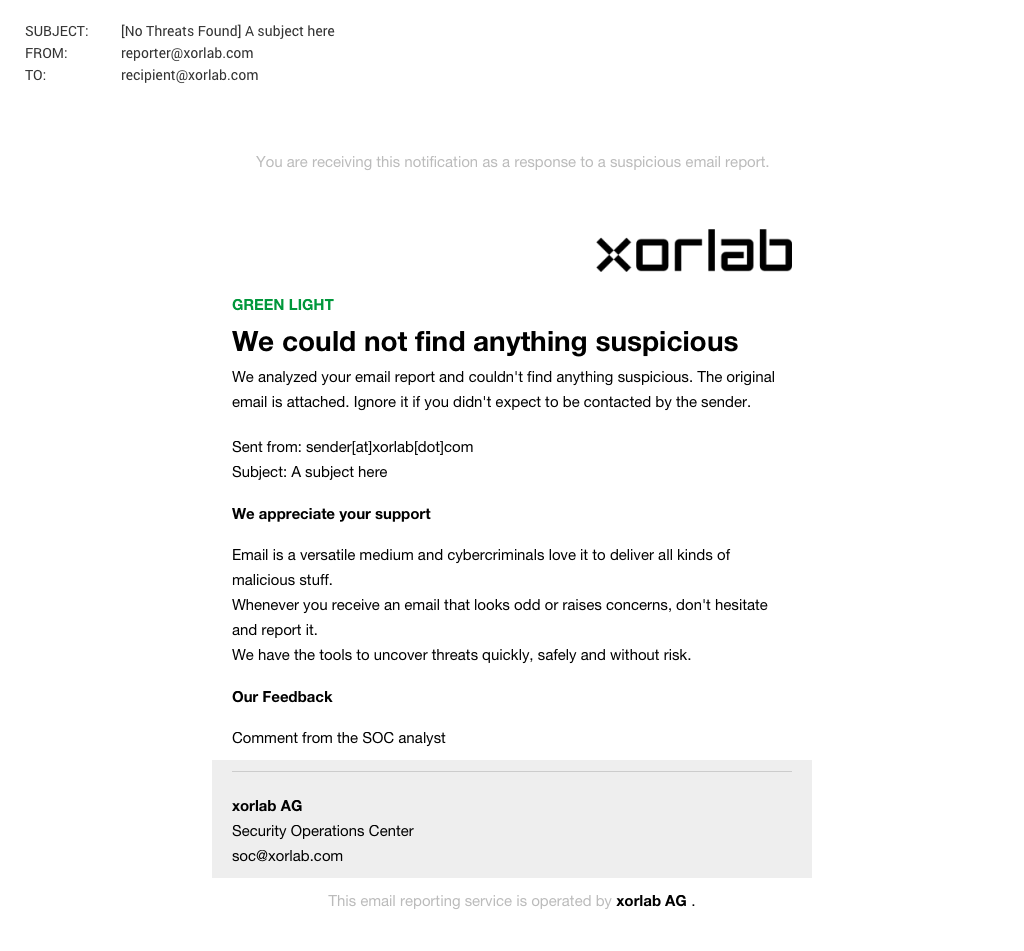
| `BENIGN` | For reports of emails that do not contain anything suspicious |
| `CLOUD_STORAGE` | For reports of emails that contain a link to a cloud storage service |
| `EXTORTION` | For reports of extortion emails |
| `IMPERSONATION` | For reports of impersonation attacks |
| `POLICY_VIOLATION` | For reports of emails that violate company policies |
| `MALICIOUS` | For reports of emails that are suspicious |
| `MALWARE` | For reports of emails with an attachment that contains malware |
| `MARKETING` | For reports of emails of marketing newsletters |
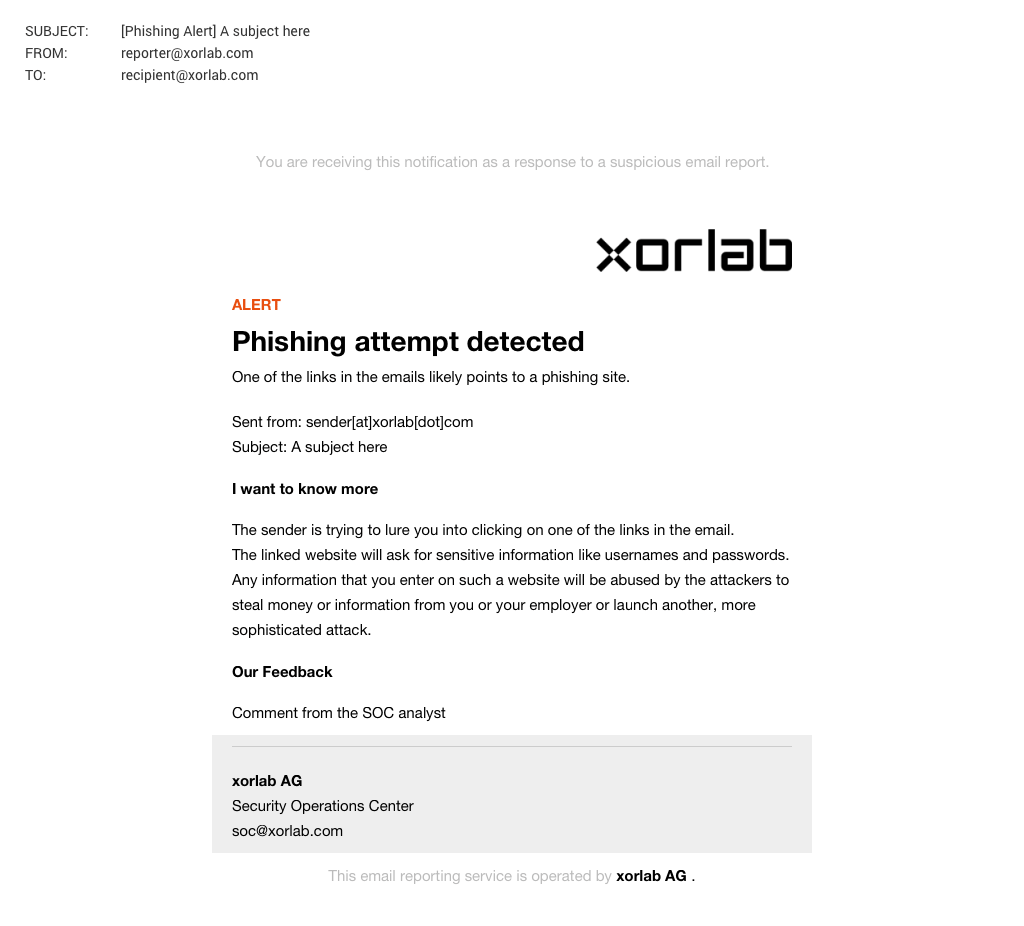
| `PHISHING` | For reports of phishing emails |
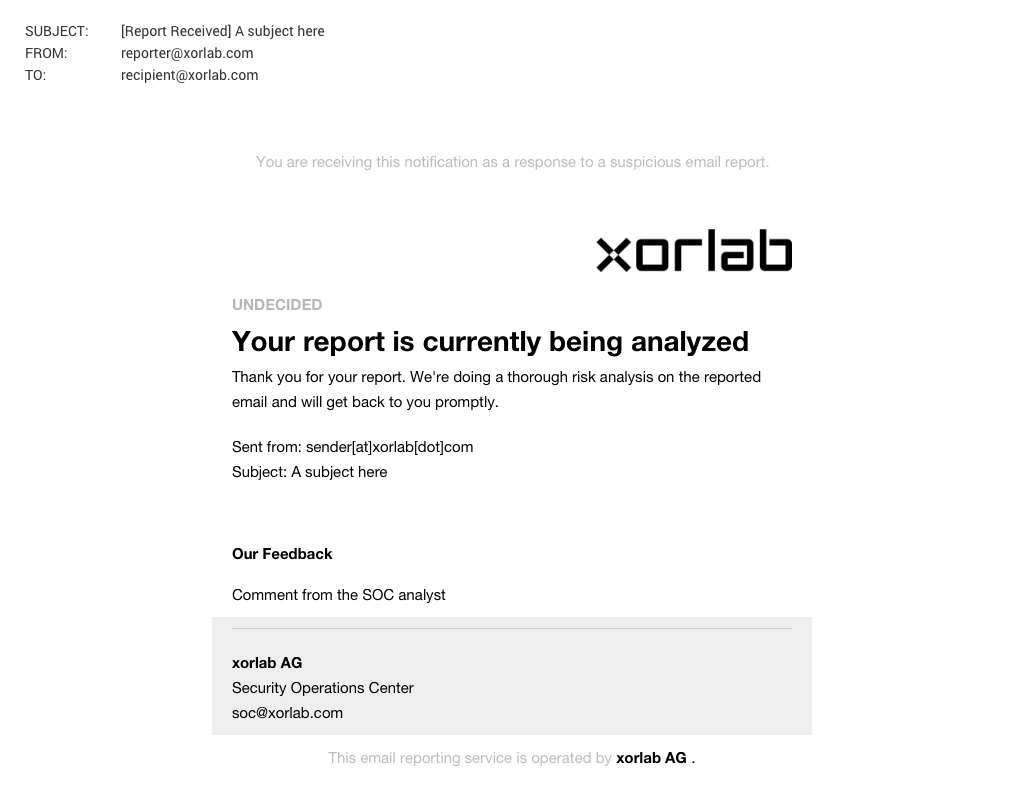
| `REPORT_NOTIFICATION_ACKNOWLEDGEMENT` | To notify the user that XSP received their report |
| `REPORT_NOTIFICATION_ERROR` | To notify the user that their report is missing a message to analyze |
| `SIMULATION` | For reports that are part of awareness campaigns |
| `SPAM` | For reports of spam emails |
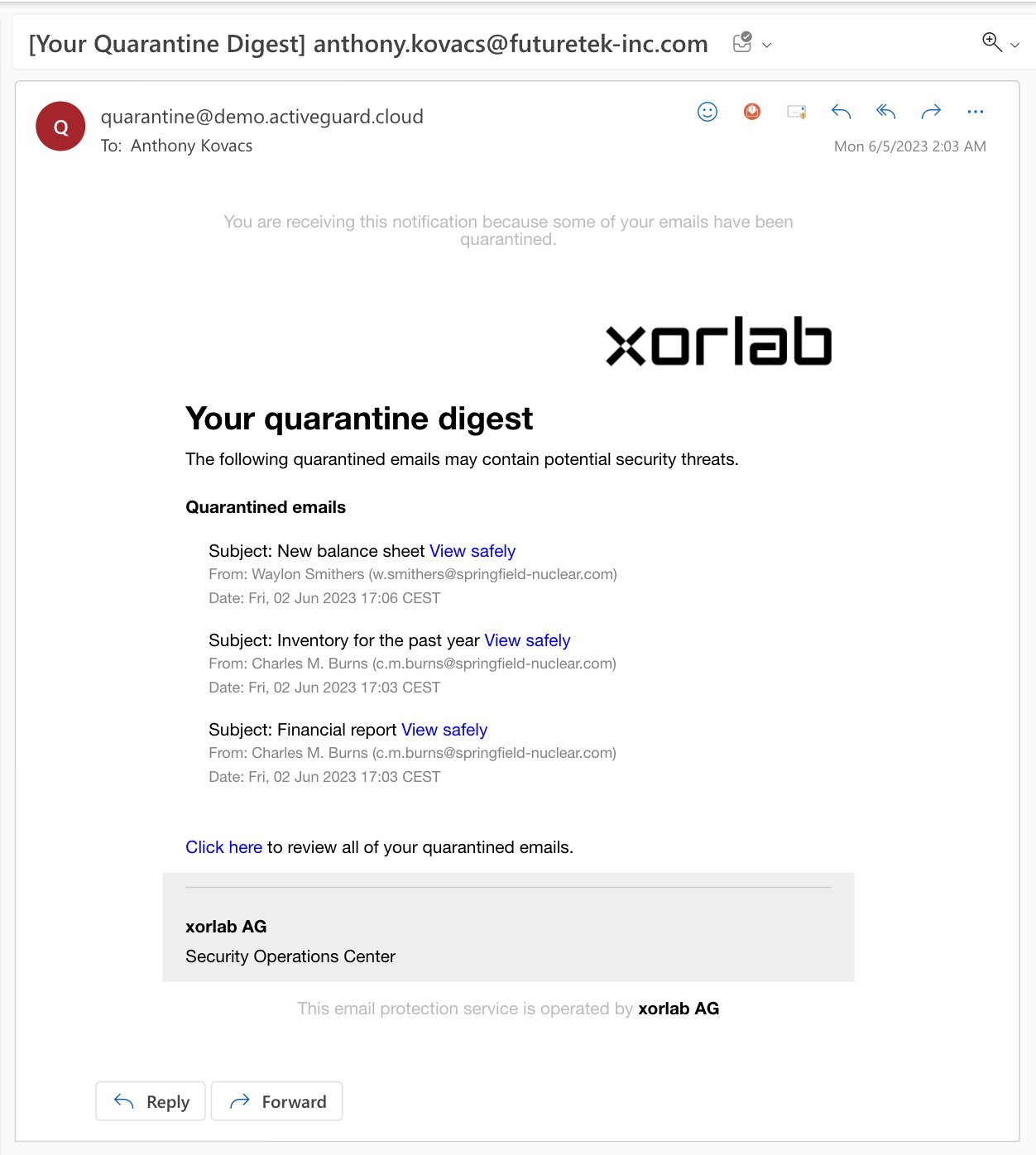
| `USER_QUARANTINE_DIGEST` | To notify the user that XSP quarantined multiple emails and put them into the [SSQ](/9.0/ssq-self-service-quarantine) |
| `USER_QUARANTINE_NOTIFICATION` | To notify the user that XSP quarantined an email and put it into the [SSQ](/9.0/ssq-self-service-quarantine) |
| `VIP_FRAUD` | For reports of email attacks that impersonate people of your organization |
| `QUARANTINE_NOTIFICATION_IN` | Used for verdict-based quarantine notifications. Those can be enabled like described in *[Actions, Rules and Profiles](/9.0/actions-rules-and-profiles)* and are independent from the quarantine notifications `USER_QUARANTINE_NOTIFICATION` of the SSQ |
## Example Emails
While all templates share the same structure, they differ in text and color depending on the type of notification. Below are a few examples:
### BENIGN
 ### PHISHING
 ### REPORT\_NOTIFICATION\_ACKNOWLEDGEMENT
 ### USER\_QUARANTINE\_DIGEST
 ## Directory structure
Email notification templates are stored in the `shared/email_templates` directory, accessible via the [Expert Editor](/9.0/expert-editor).
## Folder Structure
```
shared/email_templates
├── BEC.yml # Template configuration files.
├── [... other templates ...]
├── config
│ └── default.yml # Default language settings
|
├── info
│ └── default.yml # Company information for footers
|
├── locale
| └── default_it.yml # Italian localization file.
| └── default_fr.yml # French localization file.
│ └── default_de.yml # German localization file.
| └── default_en.yml # English localization file.
|
├── style
│ └── default.yml # Branding and styling
|
├── [... other templates ...]
└── VIP_FRAUD.yml
```
## Folder Descriptions
* `config` – Defines the default language for notifications.
* `locale` – Contains localized strings for different languages.
* `style` – Stores organization details like name, contact email, and links.
* `info` – Controls visual elements such as colors, fonts, and logos.
* Template files – Each template (e.g., `BEC.yml`, `PHISHING.yml`) contains its configuration.
## Multi-Tenancy Support
If your organization uses multiple tenants, you can customize templates per tenant. Tenant-specific customizations are controlled by the `emailTemplateStyle` attribute. By default, templates apply as `default` to all tenants, but you can introduce unique identifiers to manage styles, localization, and branding for other tenants.
## Directory structure
Email notification templates are stored in the `shared/email_templates` directory, accessible via the [Expert Editor](/9.0/expert-editor).
## Folder Structure
```
shared/email_templates
├── BEC.yml # Template configuration files.
├── [... other templates ...]
├── config
│ └── default.yml # Default language settings
|
├── info
│ └── default.yml # Company information for footers
|
├── locale
| └── default_it.yml # Italian localization file.
| └── default_fr.yml # French localization file.
│ └── default_de.yml # German localization file.
| └── default_en.yml # English localization file.
|
├── style
│ └── default.yml # Branding and styling
|
├── [... other templates ...]
└── VIP_FRAUD.yml
```
## Folder Descriptions
* `config` – Defines the default language for notifications.
* `locale` – Contains localized strings for different languages.
* `style` – Stores organization details like name, contact email, and links.
* `info` – Controls visual elements such as colors, fonts, and logos.
* Template files – Each template (e.g., `BEC.yml`, `PHISHING.yml`) contains its configuration.
## Multi-Tenancy Support
If your organization uses multiple tenants, you can customize templates per tenant. Tenant-specific customizations are controlled by the `emailTemplateStyle` attribute. By default, templates apply as `default` to all tenants, but you can introduce unique identifiers to manage styles, localization, and branding for other tenants.