On-premises solution
This is the case where all elements of the email system—including xorlab Security Platform—are self-hosted by your company.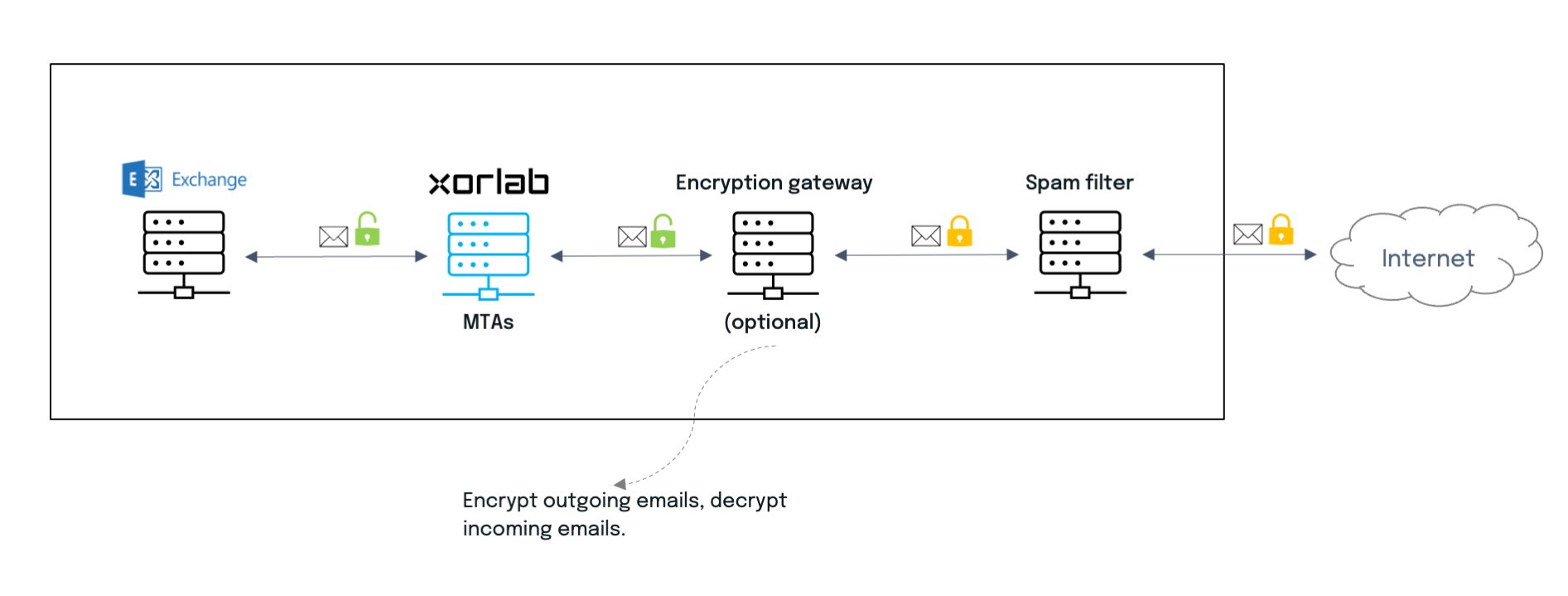
Hybrid solution
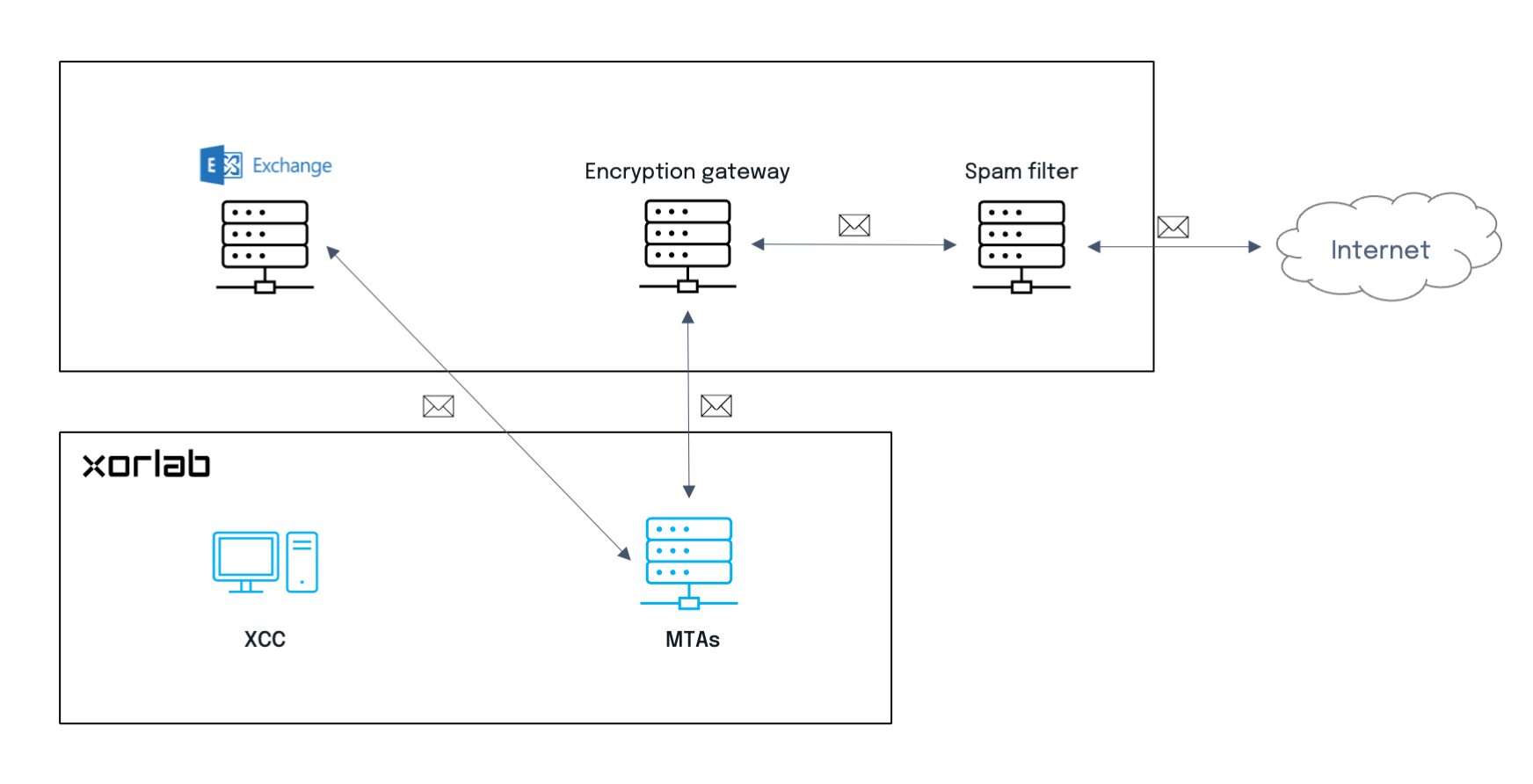
xorlab Security Platform can also be integrated as a cloud service (SaaS) with a self-hosted email server. There are two options for such integration, and they may be applied to configurations with SaaS elements as well:- Star topology with a gateway
- Chain topology with or without a gateway
Star topology
In this case, the integration affects only a gateway, e.g., a spam filtering or mail encryption solution. xorlab Security Platform is transparent to all other elements. The downside to this approach is that emails pass twice through the gateway, which means more overhead, and the configuration on the gateway is usually more complicated.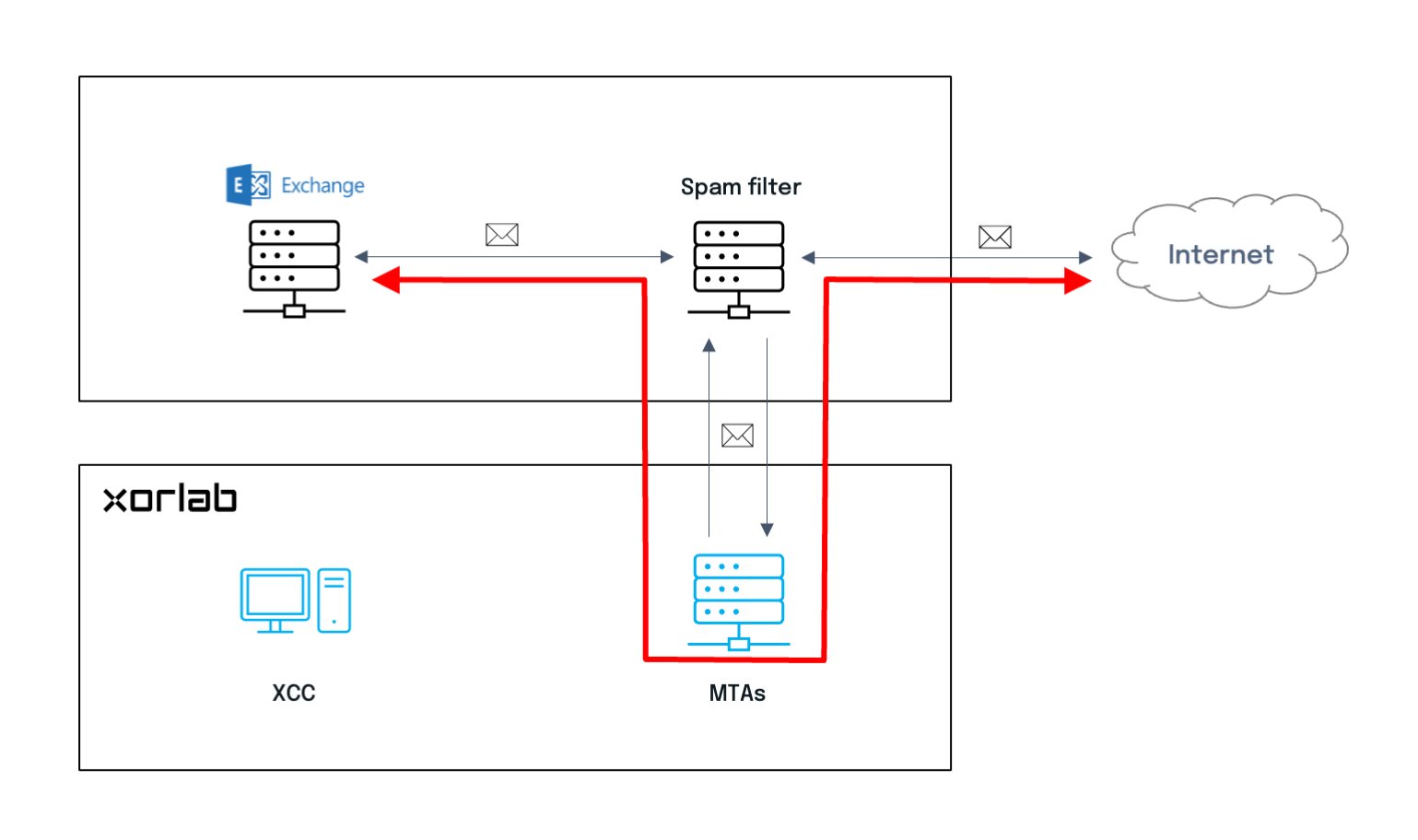
Chain topology
This simple configuration means that xorlab Security Platform is just another hop in the chain. If there is any gateway, such as a spam filtering solution, it is easier to remove it in the future. But integration affects both Exchange and the gateway. Monitoring mode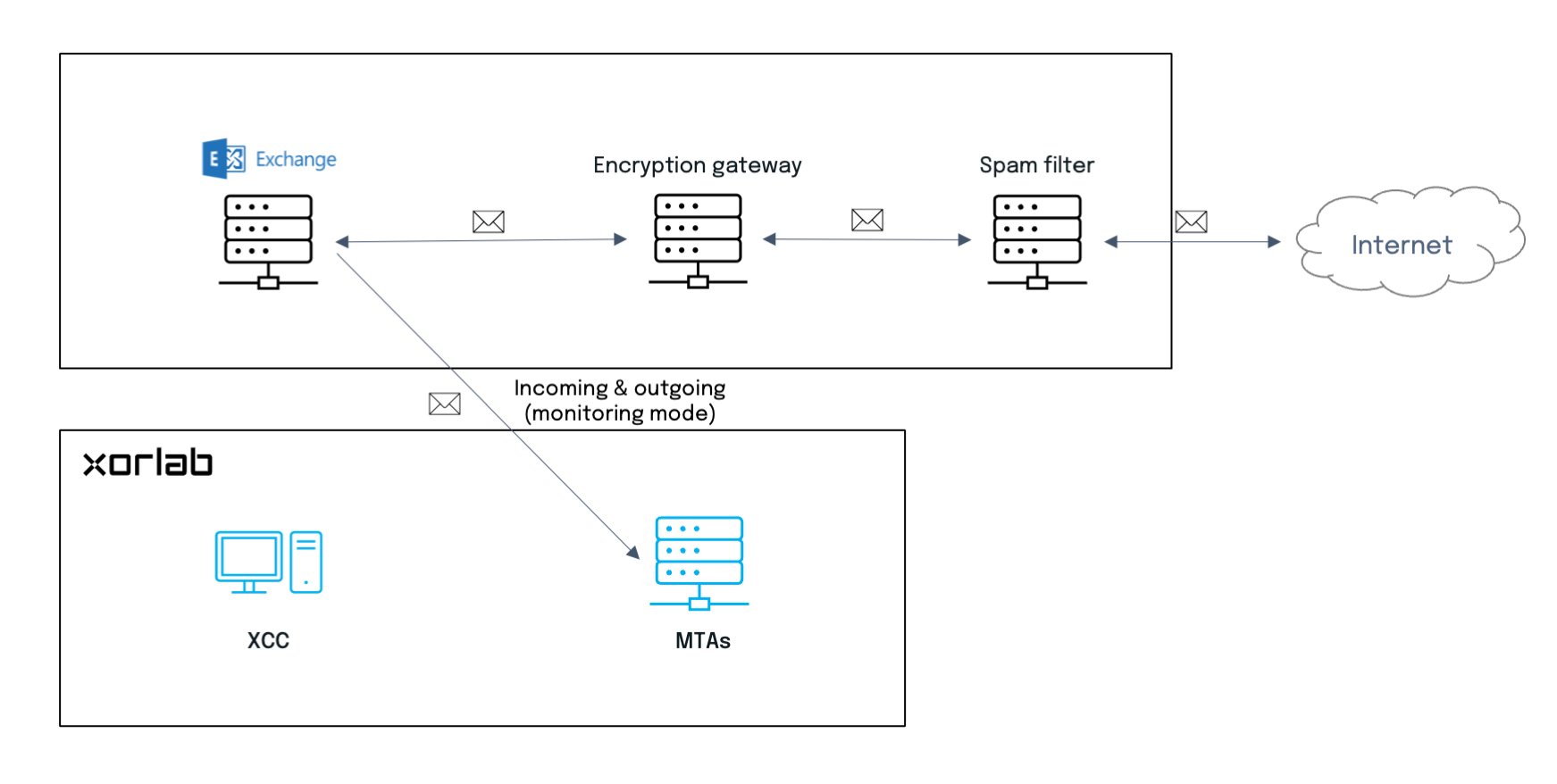
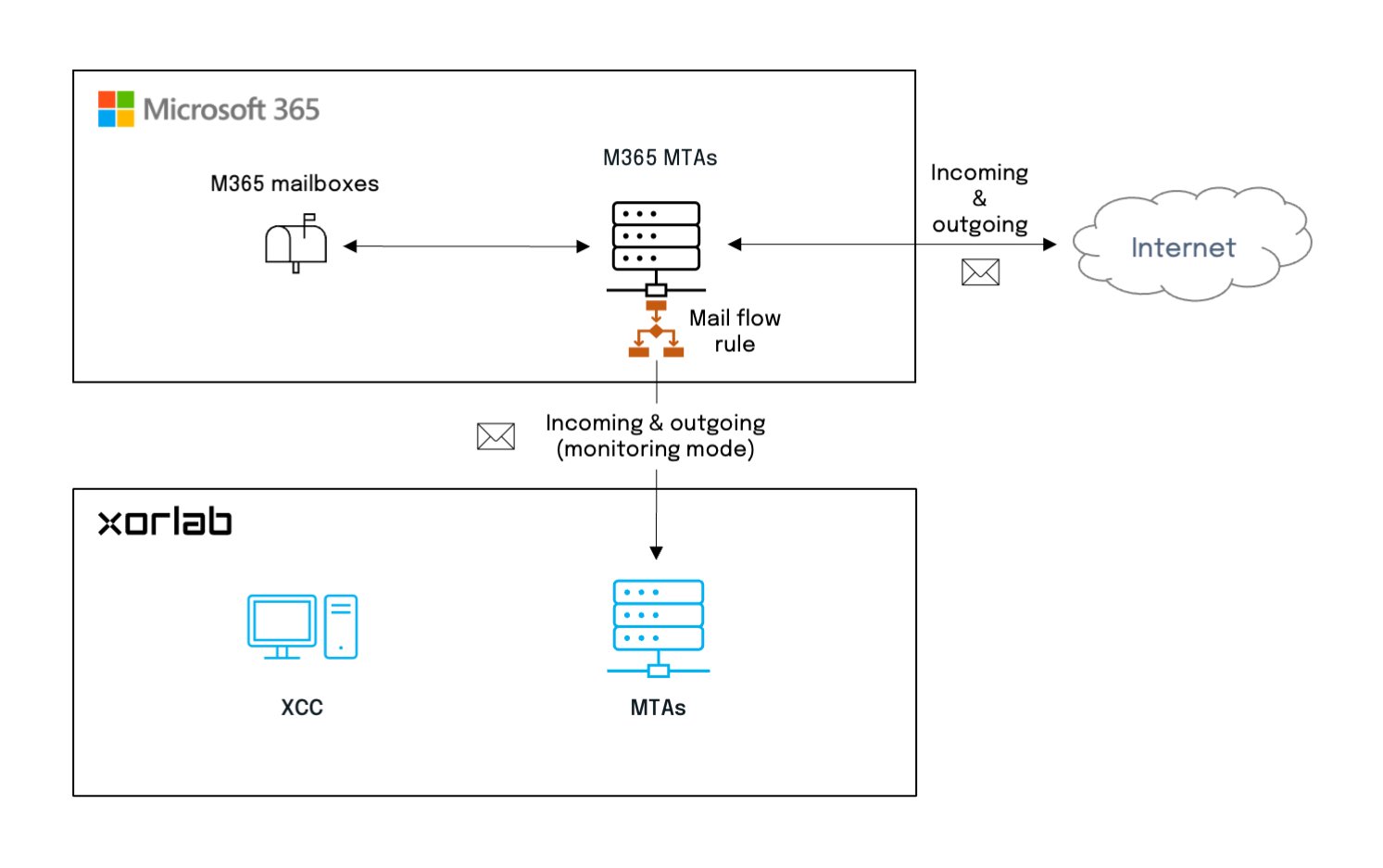
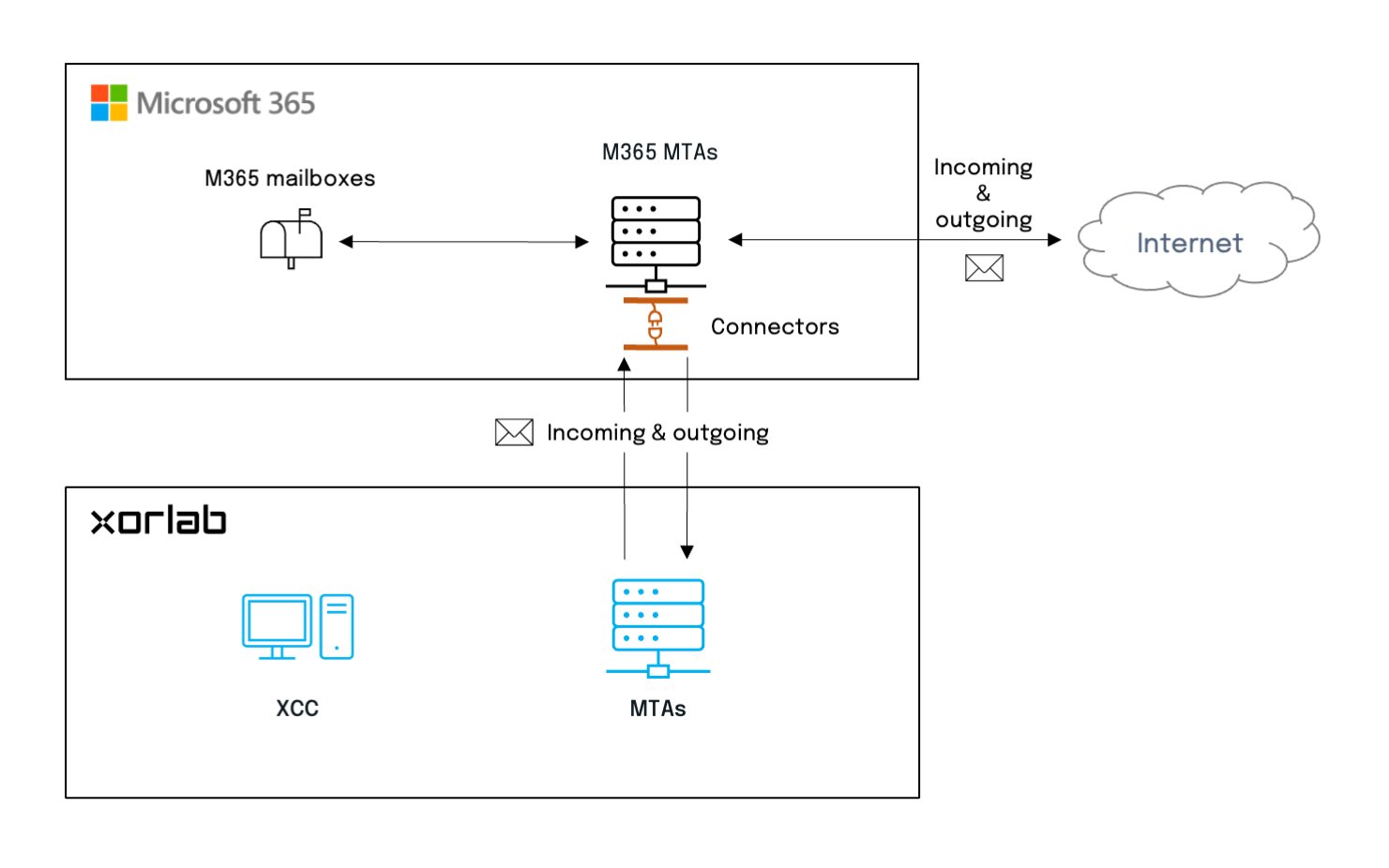
Cloud solution (SaaS)
In a purely cloud environment such as M365, xorlab Security Platform is integrated through connectors which allow in/out communication between services. Monitoring mode