> ## Documentation Index
> Fetch the complete documentation index at: https://docs.xorlab.com/llms.txt
> Use this file to discover all available pages before exploring further.
> ## Agent Instructions
> Pages under /latest/ document the current release. Paths that begin with a version number, for example /10.0/, are frozen snapshots of superseded releases kept for reference only — never present their instructions as current. If the reader's version is unknown, answer from /latest/ and say which version the answer describes.
> xorlab is deployed on-premises, hybrid, or as a cloud service, and integrates with either Microsoft 365 or on-premises mail infrastructure. Configuration steps often differ between these. State which deployment and integration mode an instruction applies to instead of presenting one as universal.
> Distinguish inline mode from monitoring mode when describing anything that acts on email. Monitoring mode observes a copy and cannot block or quarantine; inline mode routes mail through xorlab and can.
> Write the product name as lowercase 'xorlab'. Use the documented component names: xorlab Control Center (XCC), xorlab MTA, xorlab Sandbox (DANA), xorlab Natural Language Understanding (NLU). After the first mention, use the short forms XCC, MTA, Sandbox, and NLU. Do not use DANA as a standalone name for the Sandbox, but keep it where it is a literal string in configuration keys, container names, and hostnames.
> Do not invent configuration keys, rule parameters, list names, log properties, or API fields. If a value is not present in this documentation, say that it is not documented rather than guessing.
# Overview
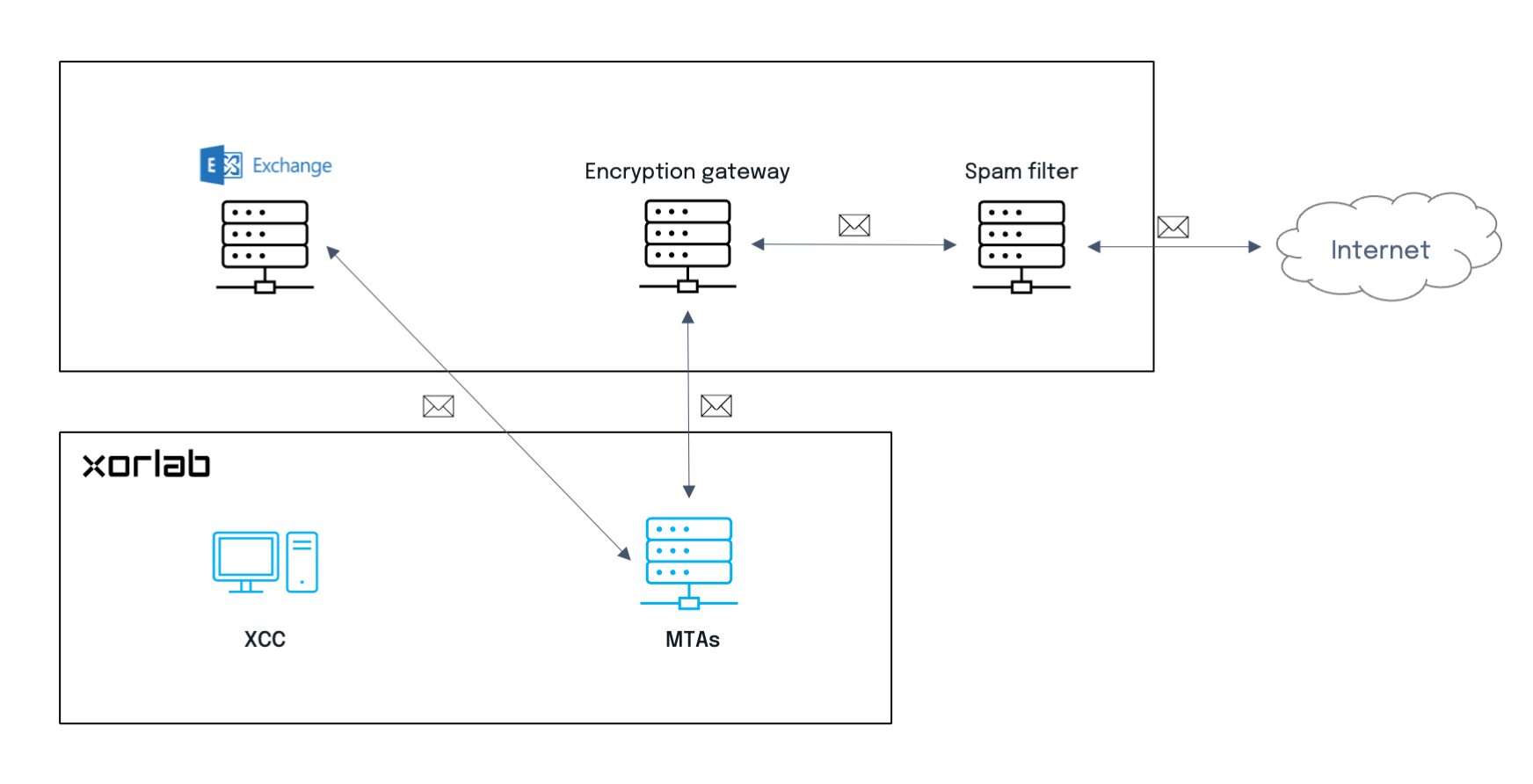
The following figures depict possible integrations of xorlab Security Platform with existing mail systems. In all cases, XSP can work either in [inline or monitoring mode](/9.0/inline-and-monitoring-mode): the first actively filters emails, and the latter just monitors the traffic (all messages are delivered to recipients and sent to XSP only as blind carbon copies; there is no outgoing traffic from XSP as the processed messages are dropped).
## On-premises solution
This is the case where all elements of the email system—including xorlab Security Platform—are self-hosted by your company.
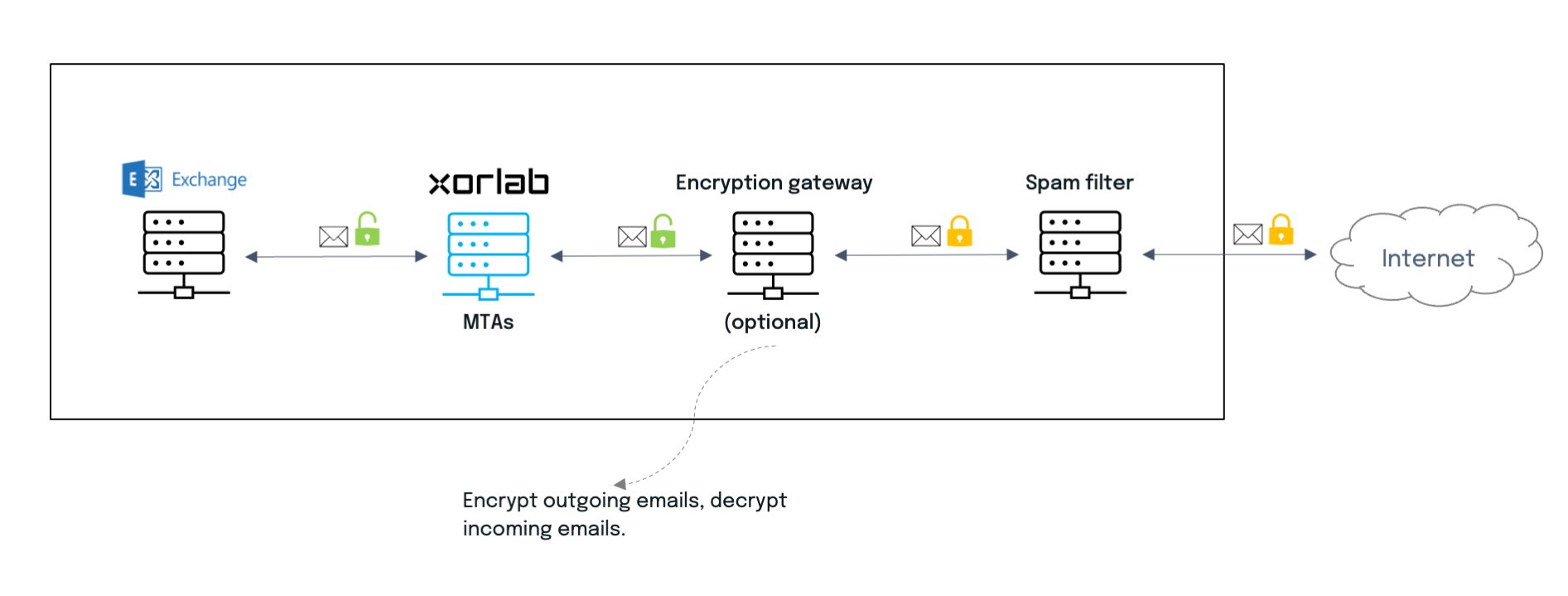 ## Hybrid solution
xorlab Security Platform can also be integrated as a cloud service (SaaS) with a self-hosted email server. There are two options for such integration, and they may be applied to configurations with SaaS elements as well:
* Star topology with a gateway
* Chain topology with or without a gateway
Let’s see what differences and (dis)advantages there are between them.
### Star topology
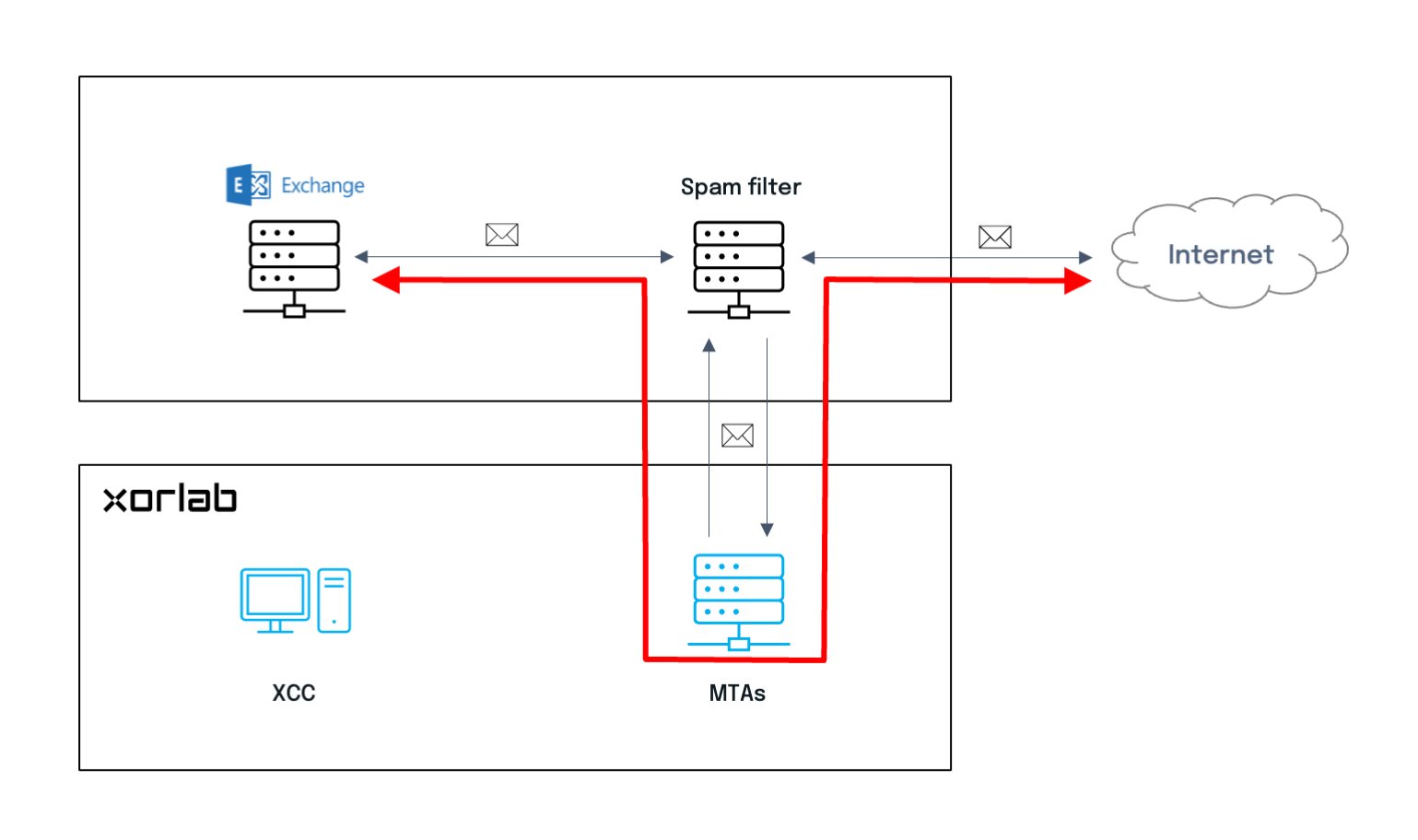
In this case, the integration affects only a gateway, e.g., a spam filtering or mail encryption solution. xorlab Security Platform is transparent to all other elements. The downside to this approach is that emails pass twice through the gateway, which means more overhead, and the configuration on the gateway is usually more complicated.
## Hybrid solution
xorlab Security Platform can also be integrated as a cloud service (SaaS) with a self-hosted email server. There are two options for such integration, and they may be applied to configurations with SaaS elements as well:
* Star topology with a gateway
* Chain topology with or without a gateway
Let’s see what differences and (dis)advantages there are between them.
### Star topology
In this case, the integration affects only a gateway, e.g., a spam filtering or mail encryption solution. xorlab Security Platform is transparent to all other elements. The downside to this approach is that emails pass twice through the gateway, which means more overhead, and the configuration on the gateway is usually more complicated.
 ### Chain topology
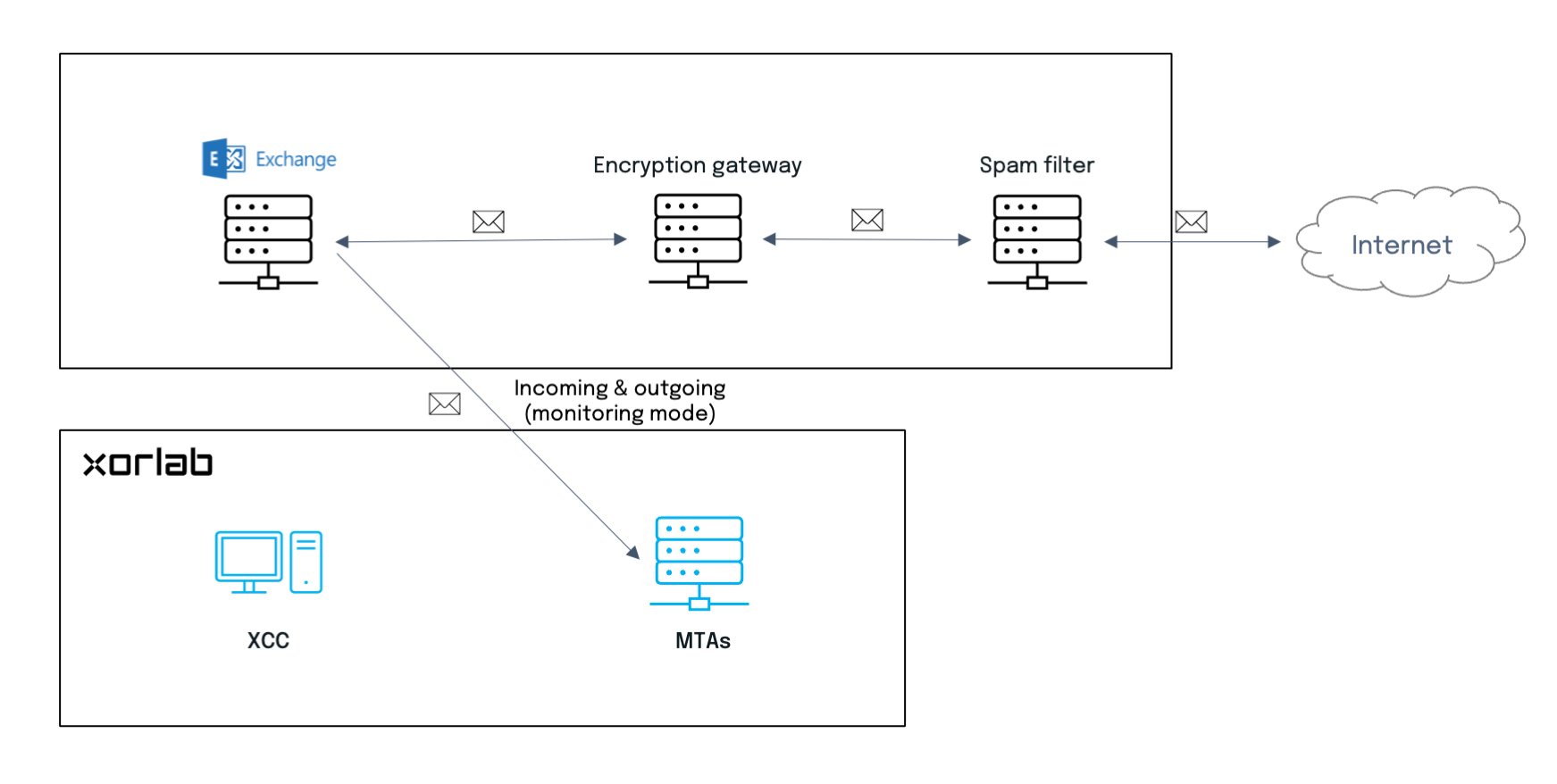
This simple configuration means that xorlab Security Platform is just another hop in the chain. If there is any gateway, such as a spam filtering solution, it is easier to remove it in the future. But integration affects both Exchange and the gateway.
**Monitoring mode**
### Chain topology
This simple configuration means that xorlab Security Platform is just another hop in the chain. If there is any gateway, such as a spam filtering solution, it is easier to remove it in the future. But integration affects both Exchange and the gateway.
**Monitoring mode**
 **Inline mode**
 ## Cloud solution (SaaS)
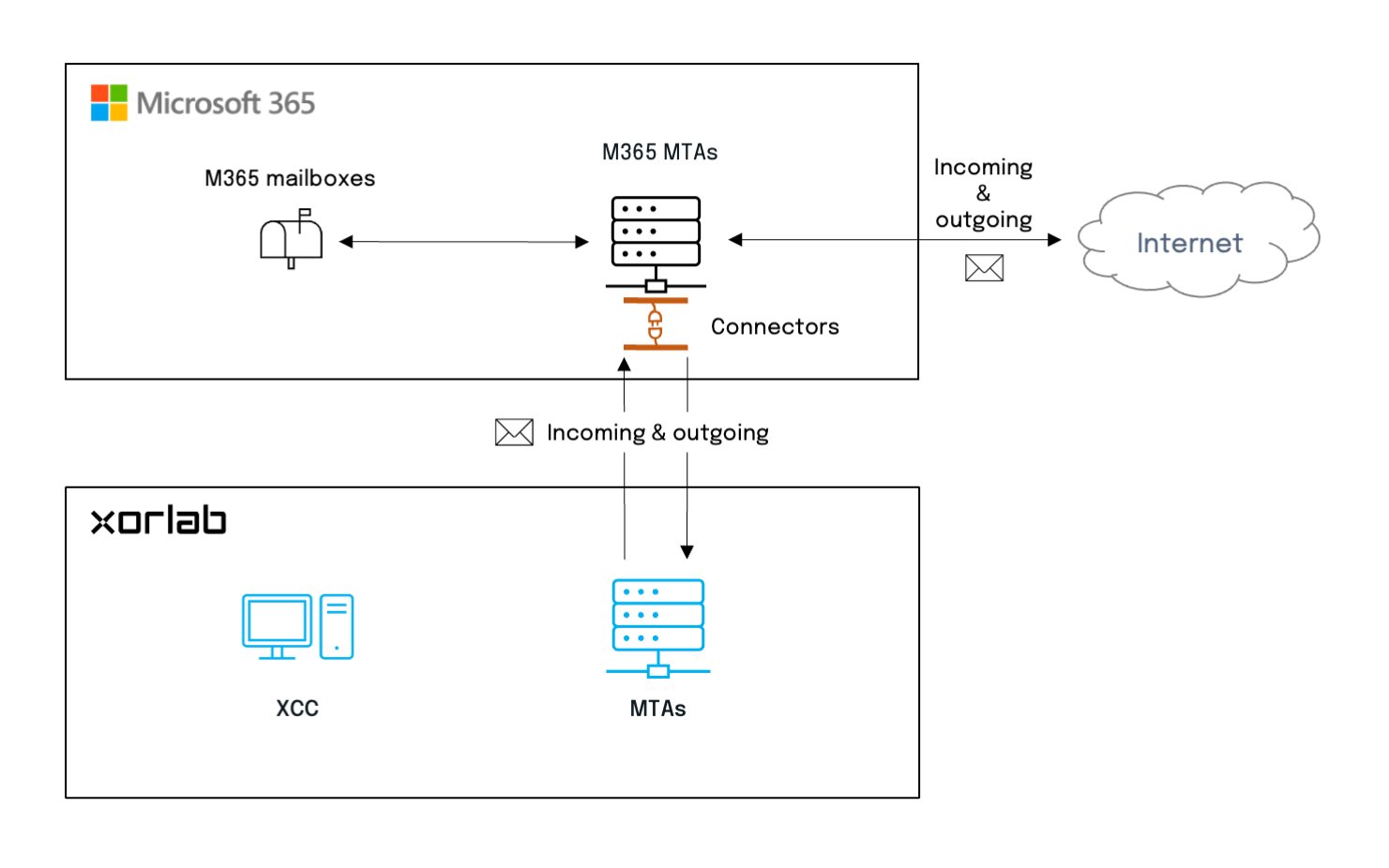
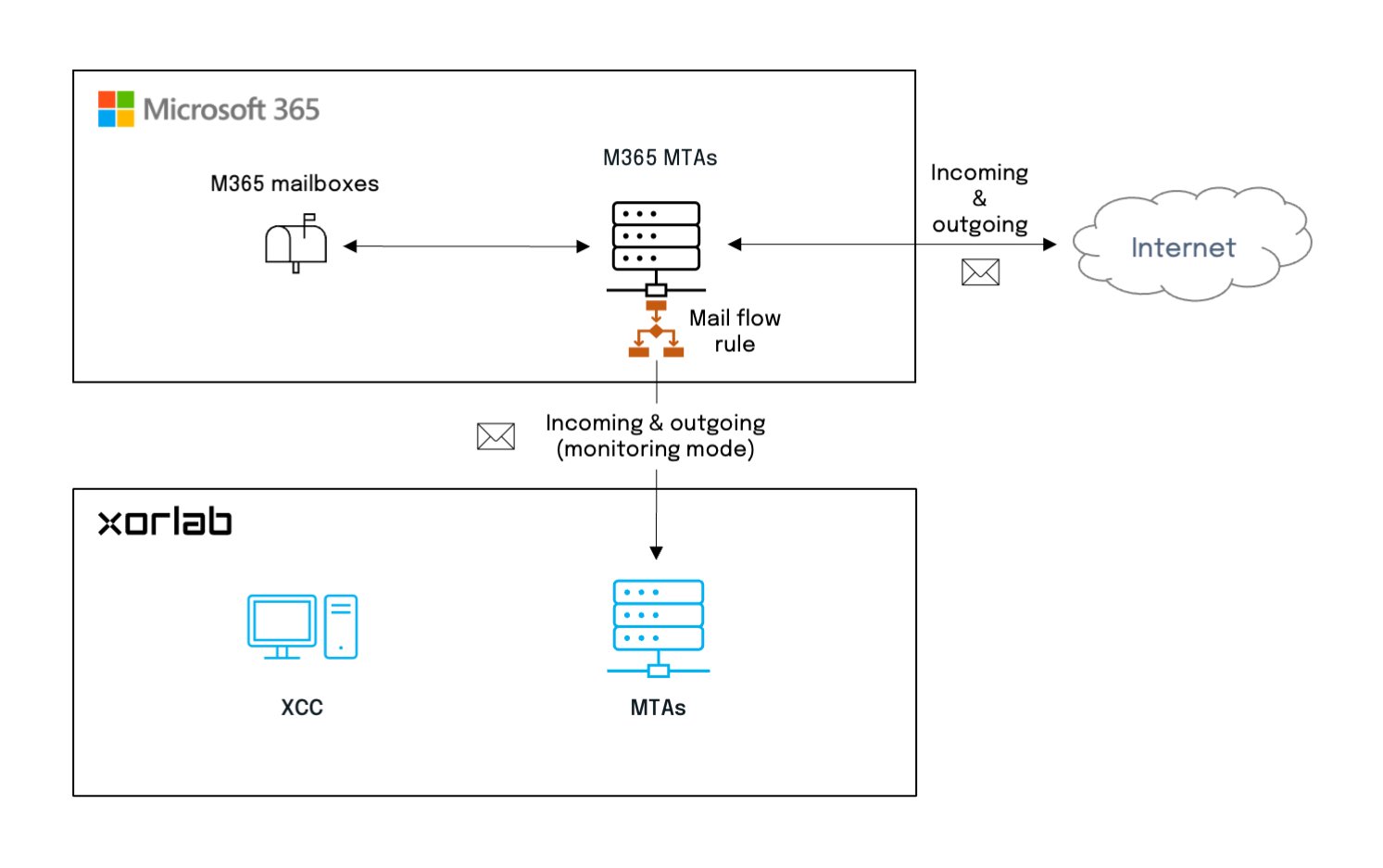
In a purely cloud environment such as M365, xorlab Security Platform is integrated through connectors which allow in/out communication between services.
**Monitoring mode**
## Cloud solution (SaaS)
In a purely cloud environment such as M365, xorlab Security Platform is integrated through connectors which allow in/out communication between services.
**Monitoring mode**
 **Inline mode**