

Key Takeaways
- Use the relationship to assess how frequently your organization communicates with a sender.
- The relationship is learned on domains and mailboxes separately. The more back and forth emails are seen, the higher its value. It will decay over time if no communication is seen.
- The detection engine filters emails with a lower relationship more aggressively.
- In xorlab, instead of whitelisting a sender, you can manually increase its relationship to make the detection more permissive.
- Relationship requires a successful authentication of the sender.
Learning phase
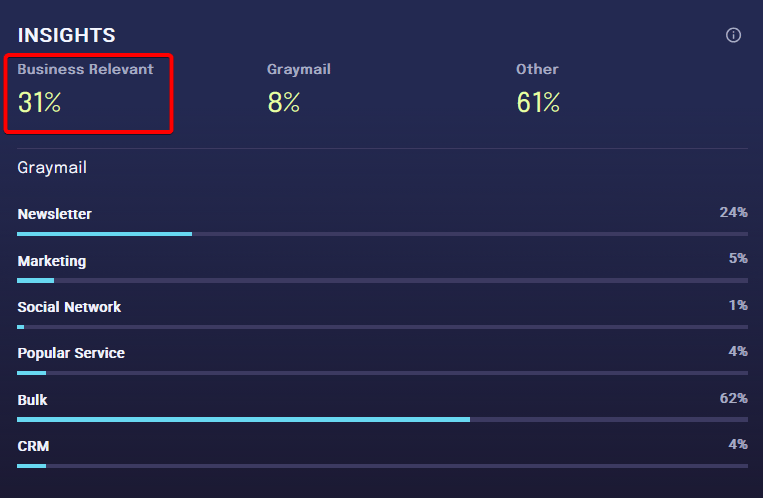
The relationship model needs an initial learning phase before it is ready to be used. Normally, detection is disabled during learning phase (Toothless mode, in which xorlab delivers all emails and only records the actions it would have taken) and manually enabled afterward. It is possible to enable partial protection already during learning phase. If this is required, contact support@xorlab.com. To get an indication of the learning, have a look at the Business Relevant percentage in the dashboard.The duration of the learning phase and the expected Business Relevant range are documented in
Detection Defaults → Learning phase. Access to that page is restricted.
Understanding relationship values
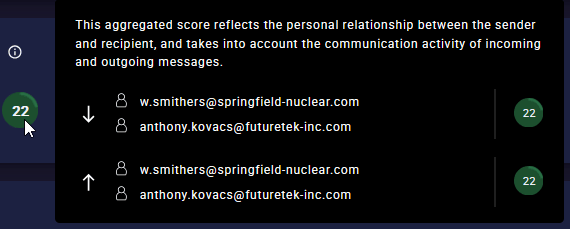
A relationship value is between 0 and 100. 0 means there was no back and forth communication yet. Each email is assigned three values:- Personal: Relationship between sender and recipient mailbox
- Person - Organization: Relationship between sender mailbox and recipient domain
- Organization: Relationship between sender domain and recipient domain
Relationship value and trust scoreThe relationship value is also referred to as the trust score. They are the same number, and the terms are used interchangeably across xorlab.In Search, it is the
trust score: trust:gte:15 matches every email whose relationship value is 15 or higher.
Using relationship tags
To search and filter for emails based on their relationship, you can use these built-in tags:DetectionThe biggest difference in detection happens between
#untrusted and #lowtrusted. In general, xorlab allows only very little attack surface in #untrusted emails.