> ## Documentation Index
> Fetch the complete documentation index at: https://docs.xorlab.com/llms.txt
> Use this file to discover all available pages before exploring further.
> ## Agent Instructions
> Pages under /latest/ document the current release. Paths that begin with a version number, for example /10.0/, are frozen snapshots of superseded releases kept for reference only — never present their instructions as current. If the reader's version is unknown, answer from /latest/ and say which version the answer describes.
> xorlab is deployed on-premises, hybrid, or as a cloud service, and integrates with either Microsoft 365 or on-premises mail infrastructure. Configuration steps often differ between these. State which deployment and integration mode an instruction applies to instead of presenting one as universal.
> Distinguish inline mode from monitoring mode when describing anything that acts on email. Monitoring mode observes a copy and cannot block or quarantine; inline mode routes mail through xorlab and can.
> Write the product name as lowercase 'xorlab'. Use the documented component names: xorlab Control Center (XCC), xorlab MTA, xorlab Sandbox (DANA), xorlab Natural Language Understanding (NLU). After the first mention, use the short forms XCC, MTA, Sandbox, and NLU. Do not use DANA as a standalone name for the Sandbox, but keep it where it is a literal string in configuration keys, container names, and hostnames.
> Do not invent configuration keys, rule parameters, list names, log properties, or API fields. If a value is not present in this documentation, say that it is not documented rather than guessing.
# Feature Overview
> A map of what the platform does, from detection layers through analyst tooling to end-user self-service.
xorlab is designed as a unified workflow, where multiple detection layers — relationship modeling, local reputation, sandboxing, campaigns, Abuse Mailbox automation, SSQ, and contextual banners — reinforce each other to provide strong, context-driven protection.
While the platform works best when all components are combined, each feature can be activated individually, giving you full flexibility to match your security needs, infrastructure, and rollout strategy.
***
## Feature overview
Protects your organization with a contextual detection engine that catches advanced e-mail-based threats with a very low false positive rate.
Campaigns let analysts turn any search query into a precise detection rule that overrides default behavior for exactly the emails they choose.
Analyzes suspicious files in a secure, isolated environment to detect hidden or unknown malware.
Lets users safely manage their quarantined emails — including encrypted attachments and request-release workflows.
Allows analysts to remove harmful emails directly from a user’s mailbox via the Microsoft Graph API.
Enables automated analysis and triaging of user-reported emails and can provide instant feedback.
Displays intelligent, context-driven email warnings that reduce user mistakes without creating alert fatigue.
Connects to the rest of your stack over standard protocols — SMTP, Syslog, REST, SAML, and Microsoft Graph.
***
## Inbound Email Security
xorlab stops the full range of email attacks, with a strong focus on sophisticated targeted attacks and zero-day exploitation.
Inbound Email Security is the core of xorlab’s platform. It protects your organization from phishing, spoofing, and malware by understanding how your organization normally communicates and using that context to detect anomalies.
Instead of relying on static indicators or threat feeds, xorlab builds a dynamic model of trusted communication (Relationship), learns what content is common in your environment (Local Reputation), and verifies every sender using authentication standards such as SPF, DKIM, and DMARC.
With this information xorlab is able to reliably detect:
* Executive and employee impersonation
* Credential phishing and brand spoofing
* Ransomware, sabotage, and industrial espionage
* Email Account Compromise
Learn more about how the xorlab detection works: [Concepts Overview](/latest/concepts-overview)
How to: [Integrate xorlab into your mail flow](/latest/setup-integration-overview)
 ## Campaigns
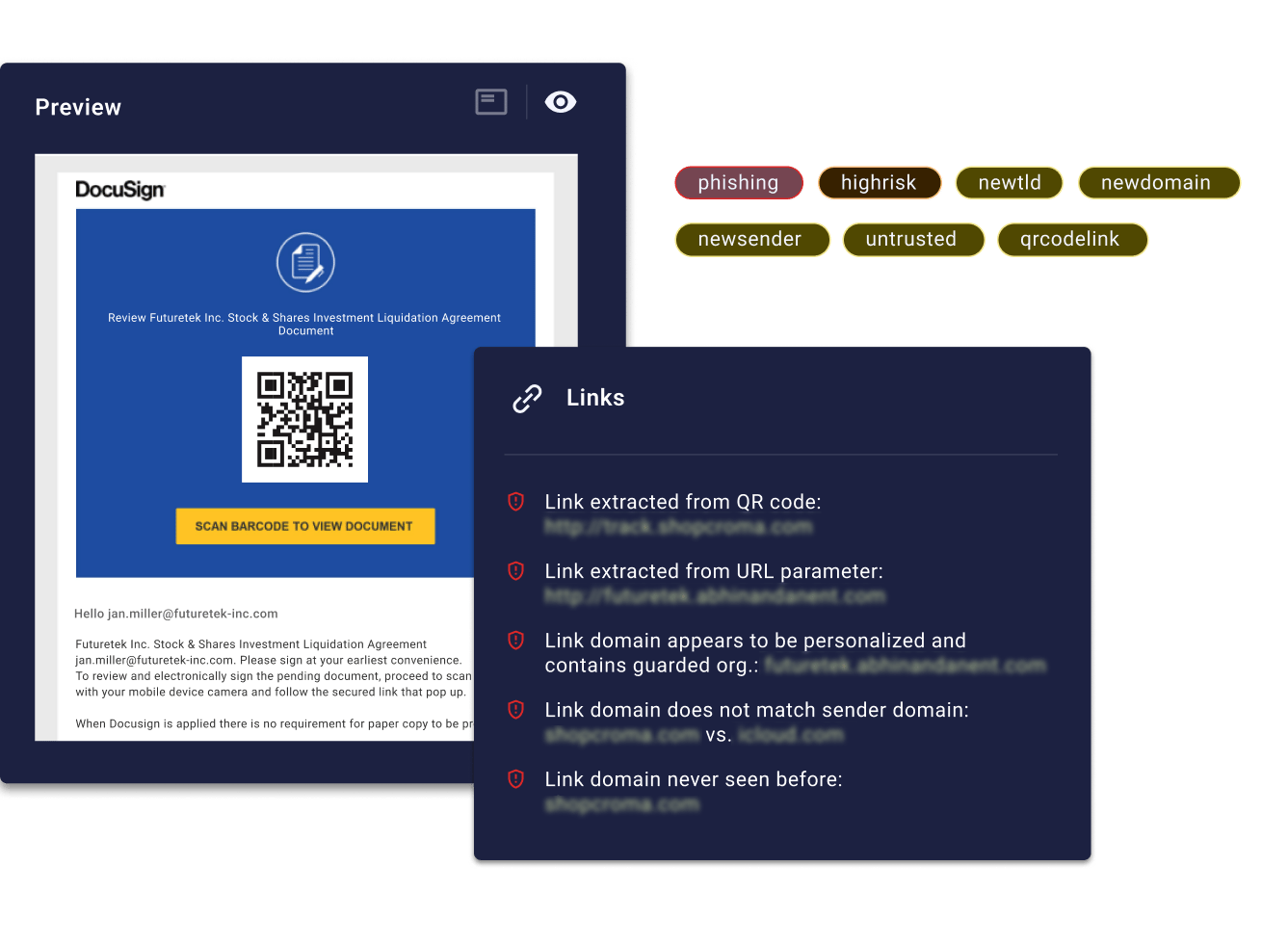
Campaigns allow analysts to transform any search query into a targeted policy that adapts xorlab’s detection to specific business needs. Because campaigns are built directly from the search engine, anything you can search for — sender patterns, domains, tags, file behavior, topics, authentication signals, and more — can be enforced as a rule. This makes campaigns a precise tool for handling edge cases, reducing false positives, blocking recurring threats, and automating responses without affecting global detection logic.
Campaigns evaluate emails in real time and override default behavior only when the defined conditions match. Each campaign specifies exactly what should happen: quarantine, deliver, rewrite, or classify a reported message. They bring structure, auditability, and repeatability to analyst decisions, especially when dealing with greymail, unauthenticated system alerts, third-party workflows, or post-incident cleanups.
How to: [Using Campaigns](/latest/campaigns)
## Sandbox
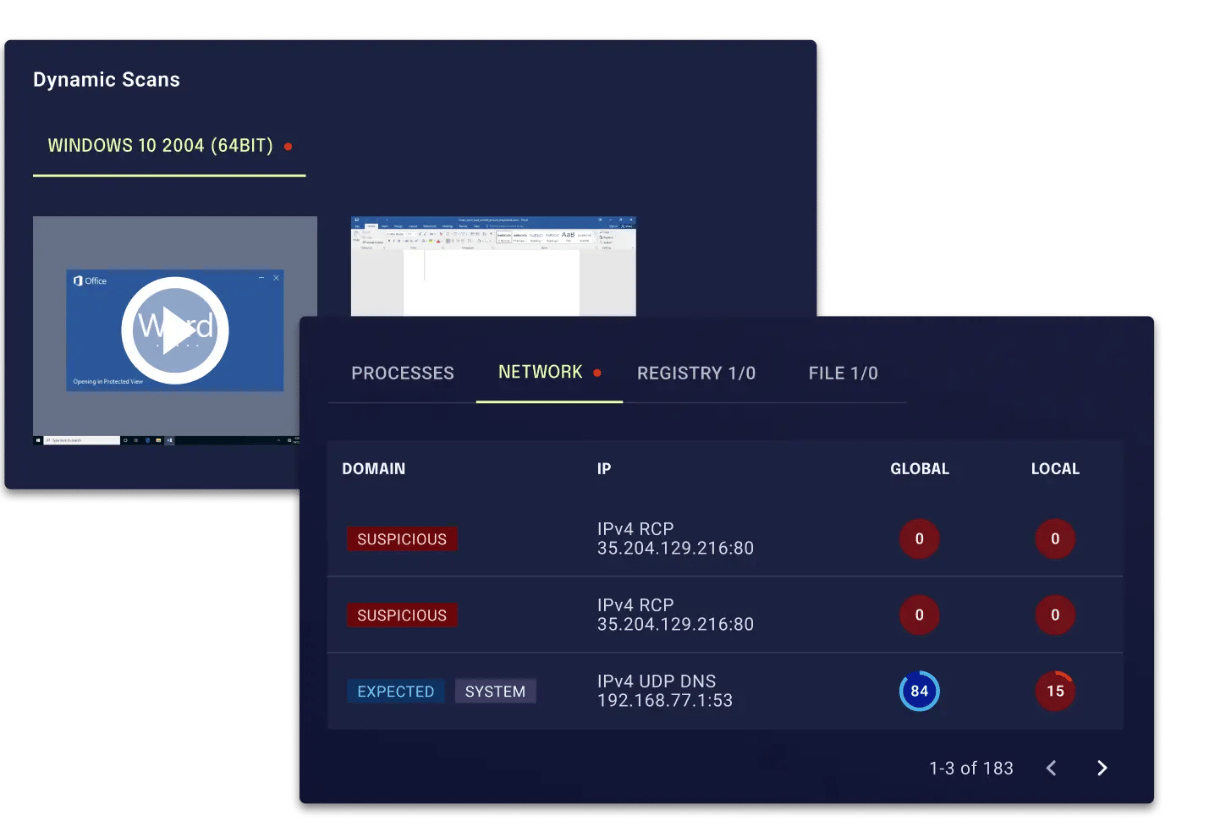
The Sandbox detects malicious behavior in email attachments that can’t be reliably identified through static analysis alone. It complements xorlab’s static analysis by executing suspicious files in a secure, isolated environment and observing how they behave. This helps uncover hidden malware, zero-days, and evasive techniques that would otherwise go unnoticed.
## Campaigns
Campaigns allow analysts to transform any search query into a targeted policy that adapts xorlab’s detection to specific business needs. Because campaigns are built directly from the search engine, anything you can search for — sender patterns, domains, tags, file behavior, topics, authentication signals, and more — can be enforced as a rule. This makes campaigns a precise tool for handling edge cases, reducing false positives, blocking recurring threats, and automating responses without affecting global detection logic.
Campaigns evaluate emails in real time and override default behavior only when the defined conditions match. Each campaign specifies exactly what should happen: quarantine, deliver, rewrite, or classify a reported message. They bring structure, auditability, and repeatability to analyst decisions, especially when dealing with greymail, unauthenticated system alerts, third-party workflows, or post-incident cleanups.
How to: [Using Campaigns](/latest/campaigns)
## Sandbox
The Sandbox detects malicious behavior in email attachments that can’t be reliably identified through static analysis alone. It complements xorlab’s static analysis by executing suspicious files in a secure, isolated environment and observing how they behave. This helps uncover hidden malware, zero-days, and evasive techniques that would otherwise go unnoticed.
 ## Self-Service Quarantine (SSQ)
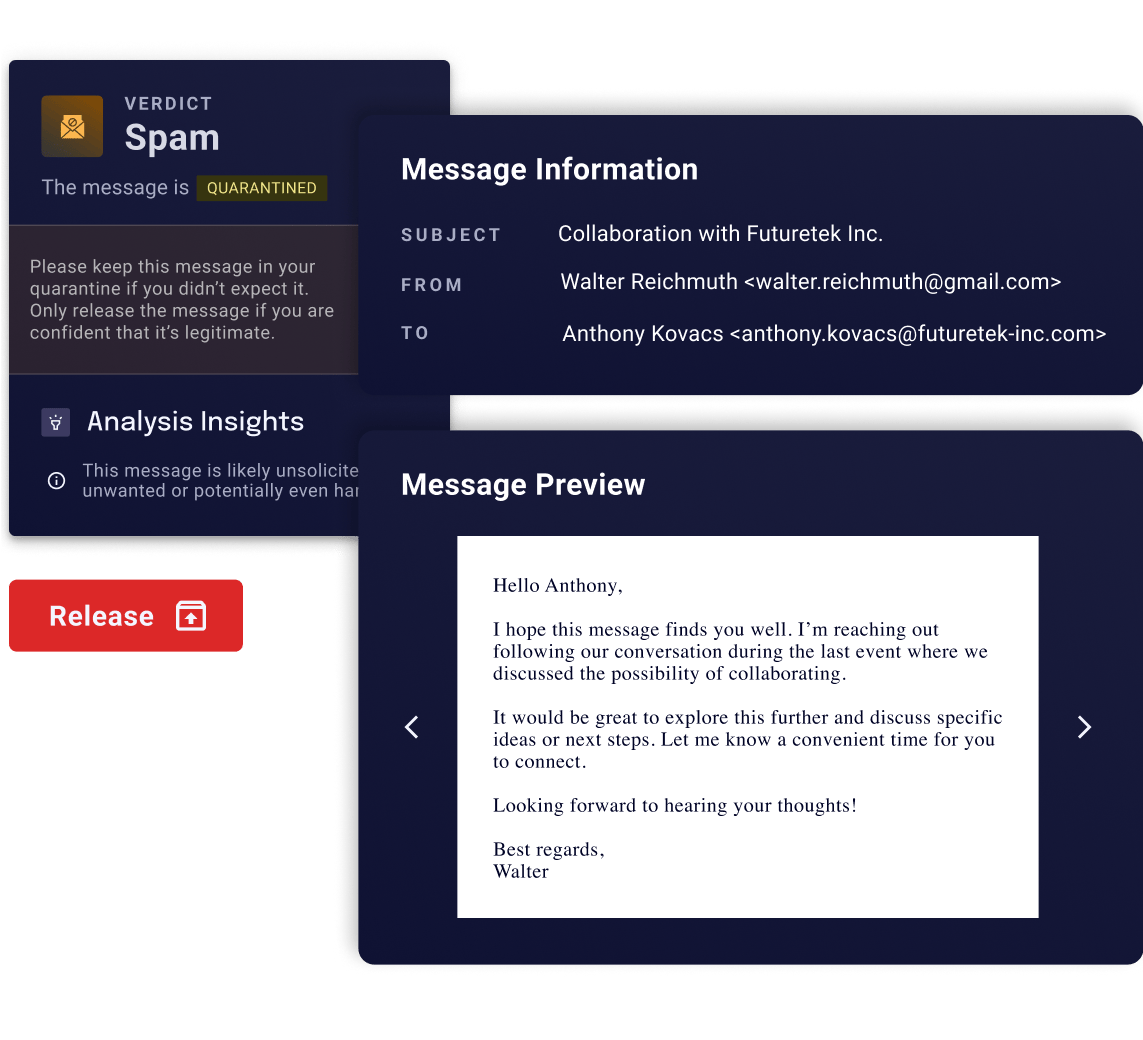
Self-Service Quarantine gives end-users a safe and controlled way to see, review, and release their own quarantined emails without relying on the security team. It reduces unnecessary IT tickets, speeds up legitimate mail delivery, and provides transparency so users understand why messages were held.
SSQ integrates tightly with xorlab’s detection logic, ensuring that risky messages stay blocked while low-risk cases can be handled by users directly. Analysts remain in full control through configurable permissions and optional “Request Release” workflows for sensitive quarantines. SSQ also supports encrypted attachments, shared mailboxes, customizable notifications, and seamless access via auto-login or SSO.
Learn more: [SSQ Overview](/latest/ssq-overview)
How to: [Handle Release Requests](/latest/handling-release-requests)
## Self-Service Quarantine (SSQ)
Self-Service Quarantine gives end-users a safe and controlled way to see, review, and release their own quarantined emails without relying on the security team. It reduces unnecessary IT tickets, speeds up legitimate mail delivery, and provides transparency so users understand why messages were held.
SSQ integrates tightly with xorlab’s detection logic, ensuring that risky messages stay blocked while low-risk cases can be handled by users directly. Analysts remain in full control through configurable permissions and optional “Request Release” workflows for sensitive quarantines. SSQ also supports encrypted attachments, shared mailboxes, customizable notifications, and seamless access via auto-login or SSO.
Learn more: [SSQ Overview](/latest/ssq-overview)
How to: [Handle Release Requests](/latest/handling-release-requests)
 ## Abuse Mailbox
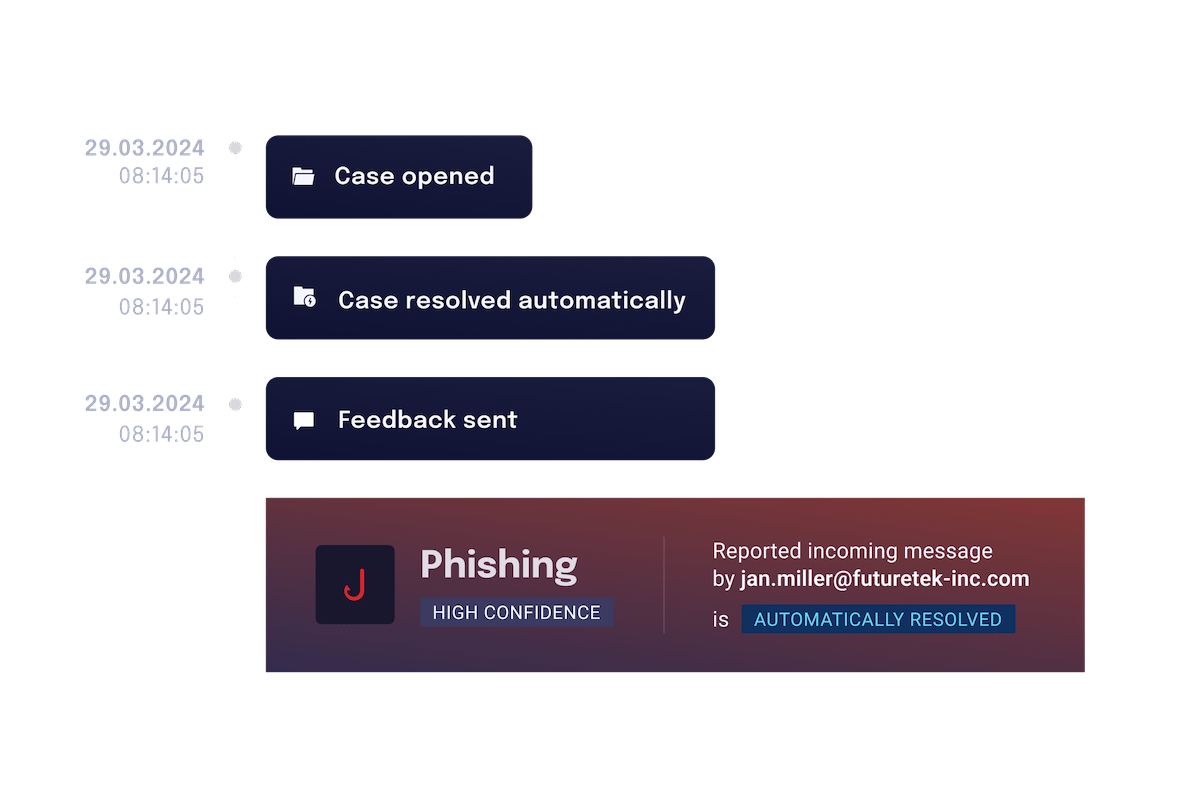
The Abuse Mailbox helps security teams handle user-reported emails quickly and consistently by combining automated triage with analyst review. Reported messages are grouped into clear cases, enriched with xorlab’s analysis, and prioritized so analysts can focus on the few that truly require attention.
Reports can be resolved automatically using verdict-based rules or campaigns, which apply precise logic to classify and respond to common patterns. Automated feedback keeps employees informed and reduces repetitive work for the SOC.
When manual review is needed, analysts get all relevant context — authentication, relationship signals, file analysis, link reputation, and more — in a single view. The result is faster investigations, consistent decisions, and a scalable way to handle large volumes of reports.
How to: [Handle the Abuse Mailbox](/latest/abuse-mailbox)
Integrate [Abuse Mailbox with M365](/latest/m365-reporting-integration)
Integrate [Abuse Mailbox On-Premises](/latest/on-prem-reporting-integration)
## Abuse Mailbox
The Abuse Mailbox helps security teams handle user-reported emails quickly and consistently by combining automated triage with analyst review. Reported messages are grouped into clear cases, enriched with xorlab’s analysis, and prioritized so analysts can focus on the few that truly require attention.
Reports can be resolved automatically using verdict-based rules or campaigns, which apply precise logic to classify and respond to common patterns. Automated feedback keeps employees informed and reduces repetitive work for the SOC.
When manual review is needed, analysts get all relevant context — authentication, relationship signals, file analysis, link reputation, and more — in a single view. The result is faster investigations, consistent decisions, and a scalable way to handle large volumes of reports.
How to: [Handle the Abuse Mailbox](/latest/abuse-mailbox)
Integrate [Abuse Mailbox with M365](/latest/m365-reporting-integration)
Integrate [Abuse Mailbox On-Premises](/latest/on-prem-reporting-integration)
 ## Case Isolation
Case Isolation allows analysts to remotely remove harmful emails from a user’s mailbox through the Microsoft Graph API. Once enabled, an “Isolate” button appears in every message detail view, making it easy to take immediate action whenever a threat is confirmed. Isolation is performed directly against the user’s mailbox
How to: [Activate Case Isolation](/latest/m365-case-isolation)
## Contextual Banners
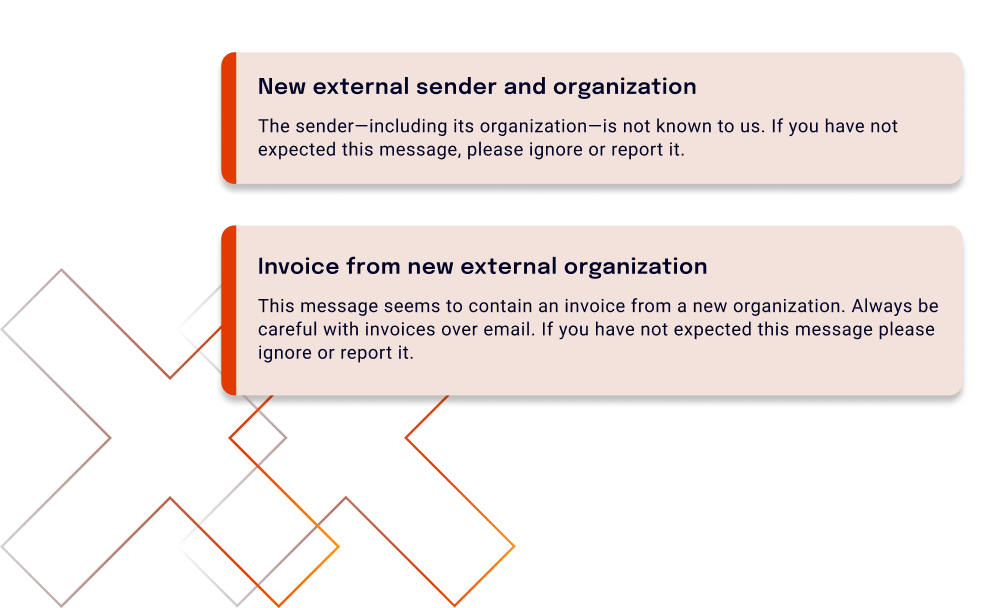
Contextual Banners add targeted security insights directly inside the email body, giving users clear and actionable warnings without overwhelming them. Instead of generic “be careful” labels, banners highlight specific risks detected by xorlab — such as low sender trust, suspicious attachments, or potential impersonation. They appear only when relevant, reducing alert fatigue while increasing user awareness.
Each banner is tied to a precise detection rule and surfaced through mail flow rules in Exchange. Analysts stay in full control by enabling, disabling, or excluding banners per sender, recipient, or severity level. Banners integrate seamlessly with xorlab’s trust, reputation, and content analysis engines to surface context users normally don’t see.
How to: [Enable Contextual Banners](/latest/detection-contextual-banners)
## Case Isolation
Case Isolation allows analysts to remotely remove harmful emails from a user’s mailbox through the Microsoft Graph API. Once enabled, an “Isolate” button appears in every message detail view, making it easy to take immediate action whenever a threat is confirmed. Isolation is performed directly against the user’s mailbox
How to: [Activate Case Isolation](/latest/m365-case-isolation)
## Contextual Banners
Contextual Banners add targeted security insights directly inside the email body, giving users clear and actionable warnings without overwhelming them. Instead of generic “be careful” labels, banners highlight specific risks detected by xorlab — such as low sender trust, suspicious attachments, or potential impersonation. They appear only when relevant, reducing alert fatigue while increasing user awareness.
Each banner is tied to a precise detection rule and surfaced through mail flow rules in Exchange. Analysts stay in full control by enabling, disabling, or excluding banners per sender, recipient, or severity level. Banners integrate seamlessly with xorlab’s trust, reputation, and content analysis engines to surface context users normally don’t see.
How to: [Enable Contextual Banners](/latest/detection-contextual-banners)
 ## Open Integrations
xorlab is not a closed appliance. Every part of the platform is reachable through interfaces your existing tools already speak, which means it fits into the stack you have rather than requiring one built around it.
* **Mail flow over SMTP**, in front of, behind, or alongside Microsoft 365, Exchange, or any standards-compliant gateway — inline or purely observing.
* **The full event stream over Syslog** in JSON or CEF: verdicts, SMTP transactions, extracted threat intelligence, and a complete analyst and admin audit trail. Any SIEM can ingest it without a vendor-built connector.
* **A REST API** so SOAR playbooks and scripts can manage blocklists, whitelists, and VIP lists without a human in the web interface.
* **SAML 2.0 and LDAP** for single sign-on, with role and tenant mapping from your identity provider.
* **Microsoft Graph** for case isolation, retrospective scanning, and quarantine handling, through a single app registration in your own tenant.
* **Threat intelligence in both directions** — VirusTotal and Spamhaus DQS enrich analysis, while indicators observed in your own mail are exported for use elsewhere.
Learn more: [What xorlab Connects To](/latest/integrations-overview)
## Open Integrations
xorlab is not a closed appliance. Every part of the platform is reachable through interfaces your existing tools already speak, which means it fits into the stack you have rather than requiring one built around it.
* **Mail flow over SMTP**, in front of, behind, or alongside Microsoft 365, Exchange, or any standards-compliant gateway — inline or purely observing.
* **The full event stream over Syslog** in JSON or CEF: verdicts, SMTP transactions, extracted threat intelligence, and a complete analyst and admin audit trail. Any SIEM can ingest it without a vendor-built connector.
* **A REST API** so SOAR playbooks and scripts can manage blocklists, whitelists, and VIP lists without a human in the web interface.
* **SAML 2.0 and LDAP** for single sign-on, with role and tenant mapping from your identity provider.
* **Microsoft Graph** for case isolation, retrospective scanning, and quarantine handling, through a single app registration in your own tenant.
* **Threat intelligence in both directions** — VirusTotal and Spamhaus DQS enrich analysis, while indicators observed in your own mail are exported for use elsewhere.
Learn more: [What xorlab Connects To](/latest/integrations-overview)