Creating the mail flow rules
Incoming emails
First, we need to create a mail-flow rule that sends a copy of all incoming emails to xorlab Security Platform.- In the Exchange Control Panel, under Mail Flow → Rules, create a new rule.
-
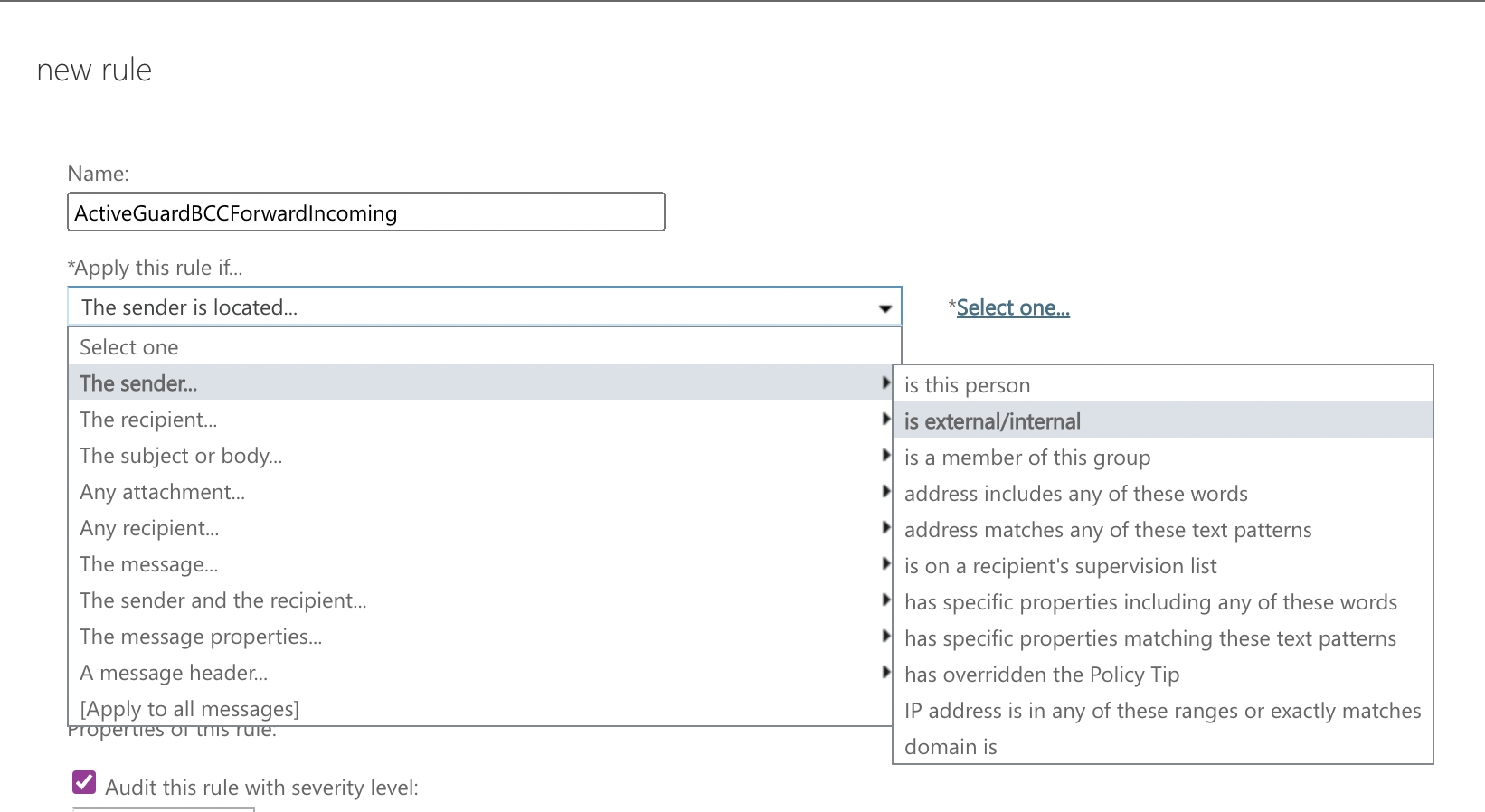
After you enter the name for the rule, click the drop-down list under Apply this rule if… to expand it and choose The sender is located… and then is external/internal:
-
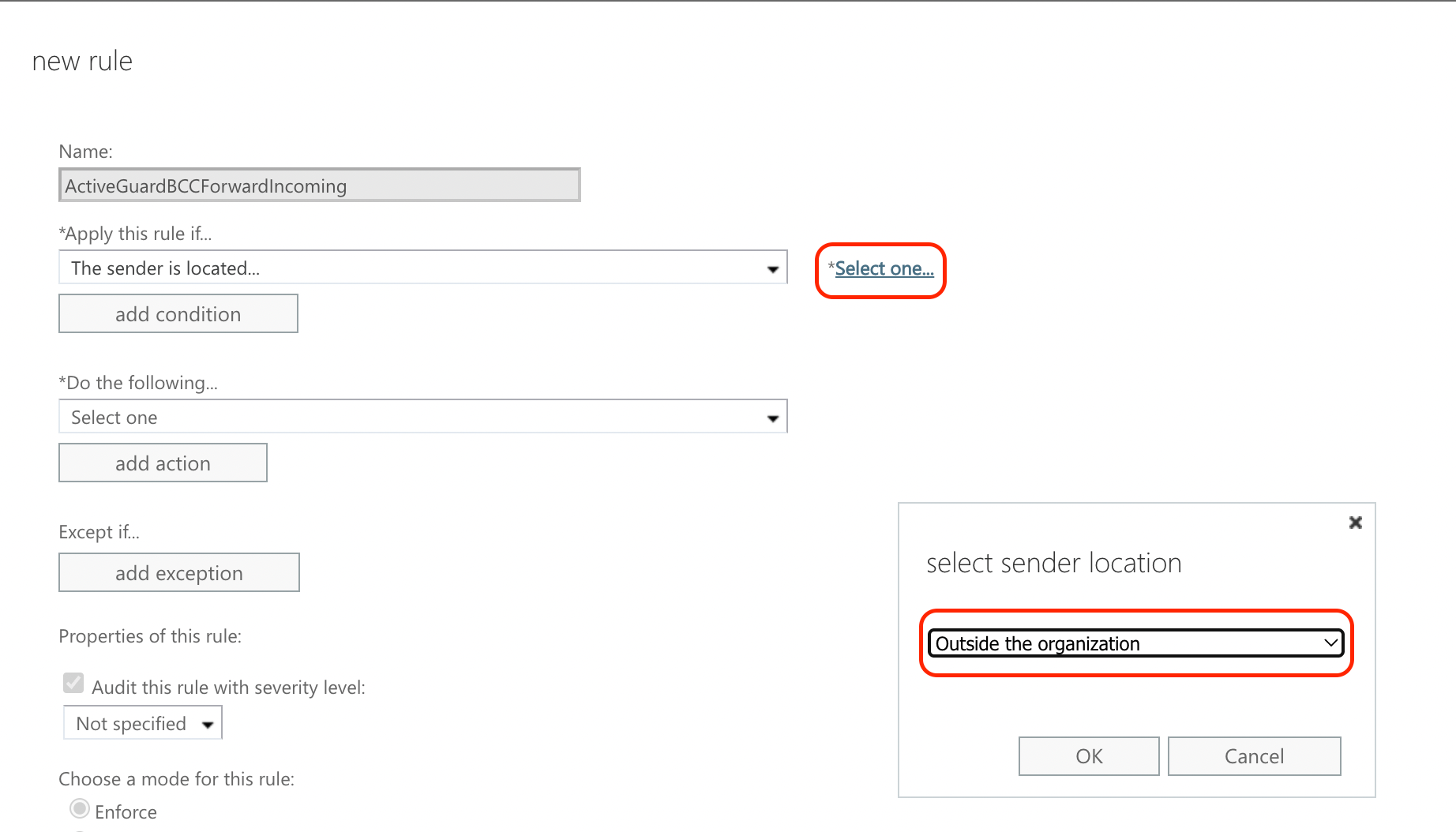
In the select sender location input box that appears (if it doesn’t, click Select one… next to the list), select Outside the organization and click OK:
- Click the drop-down list under Do the following… to expand it and choose BCC the message to…
-
A new browser tab/window opens where you can enter the xorlab Security Platform monitoring mailbox address, e.g.,
monitor@mx.xyz.activeguard.cloud. Your new rule should look like the one depicted below: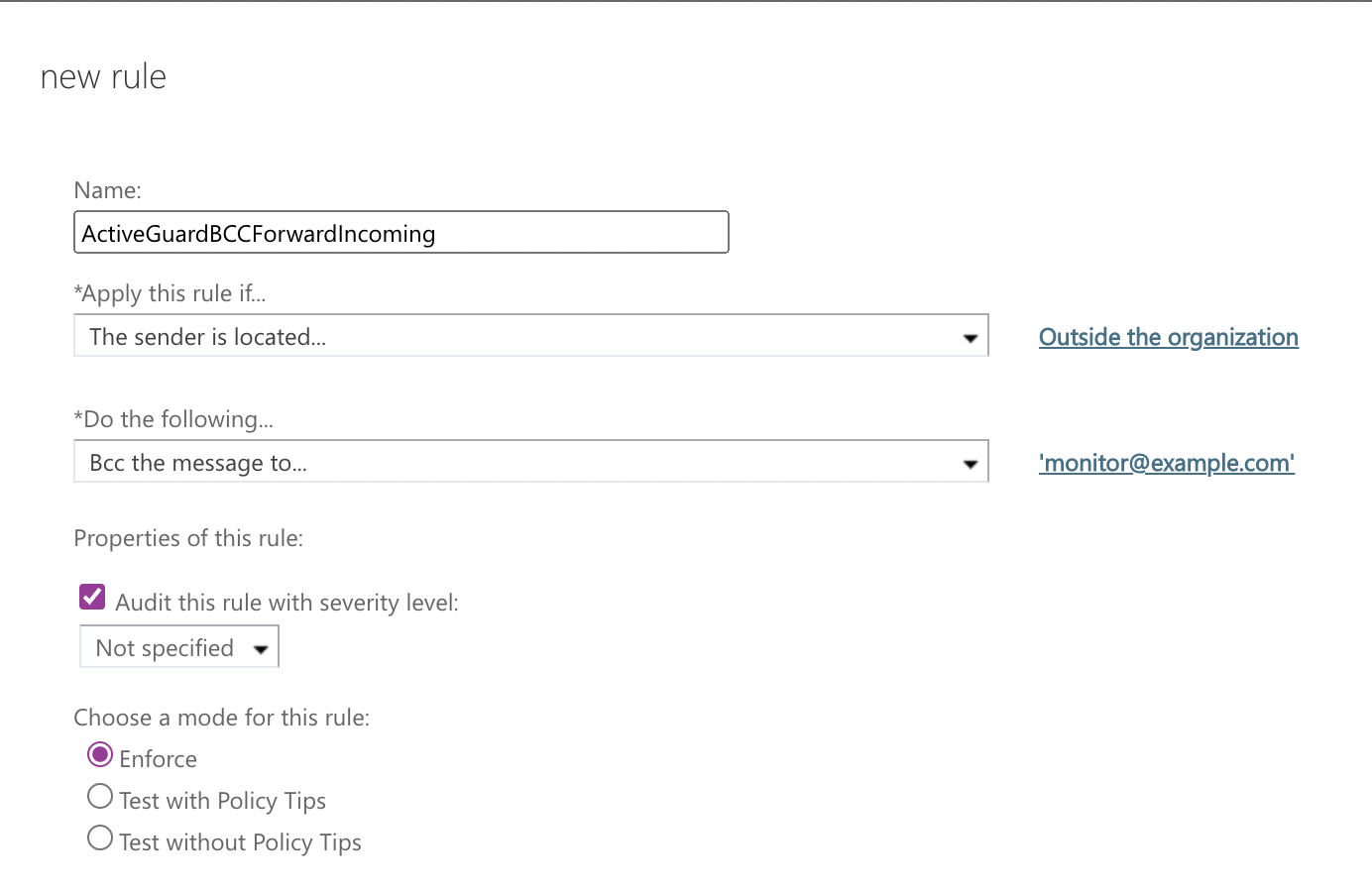
- Click Save.
Outgoing emails
Now we need to create another mail-flow rule that sends a copy of all outgoing emails to xorlab Security Platform. Repeat the same steps as for incoming mails but, in step #2, select The recipient is located… in the first list. Now the rule should look like this: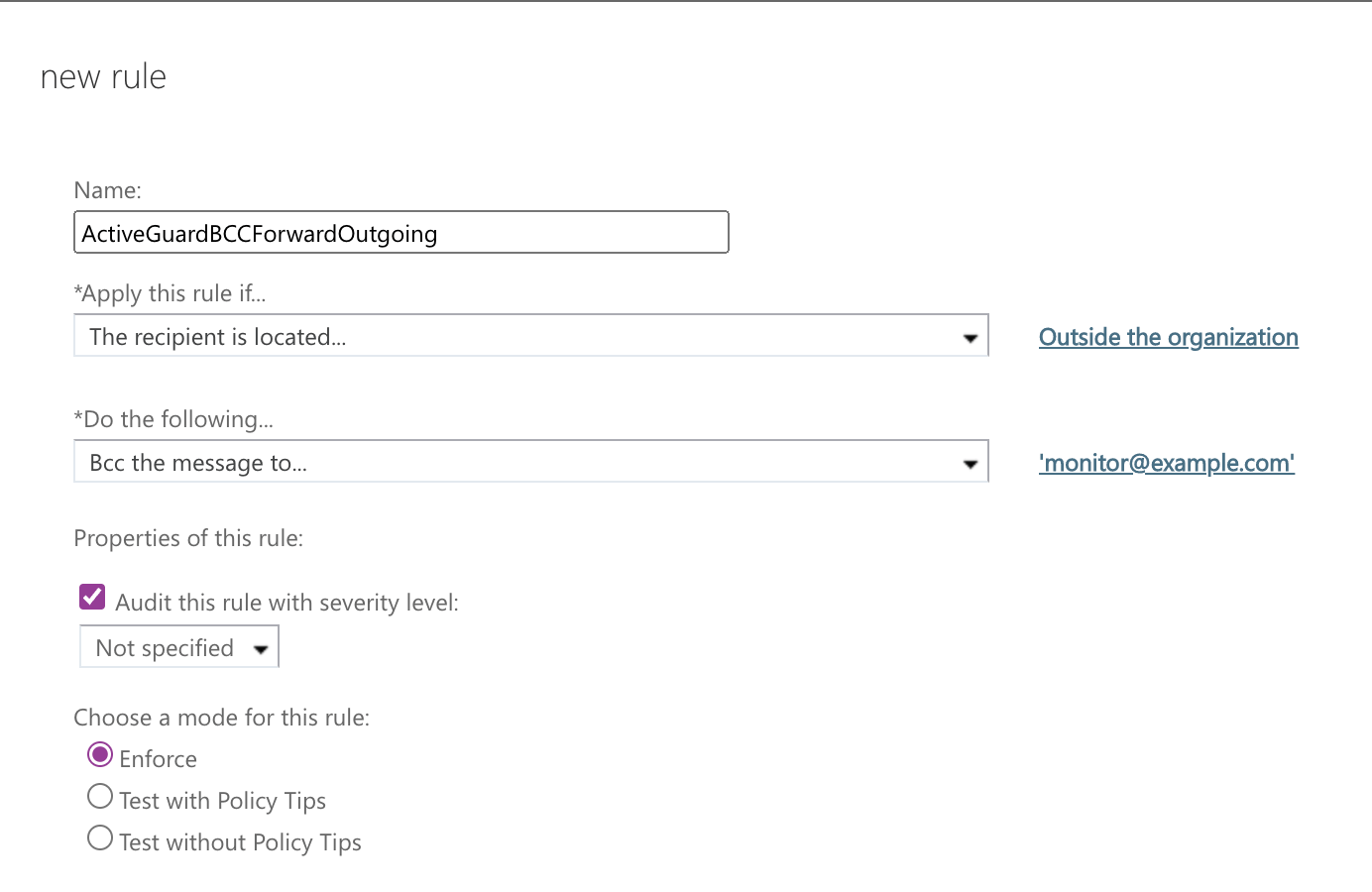
Internal emails
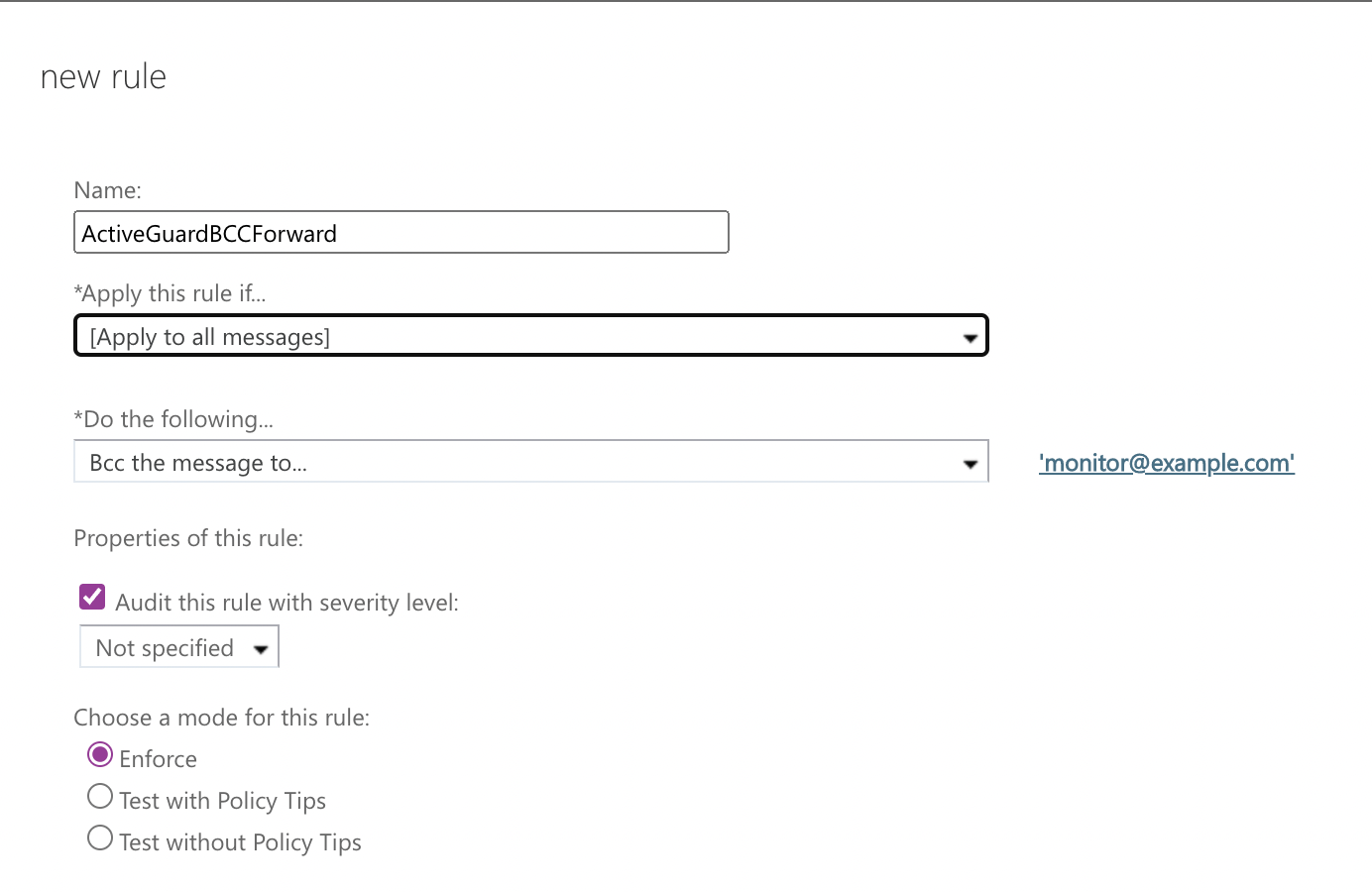
In order to also send a copy of internal emails to xorlab Security Platform, the two mail-flow rules from above can be replaced with one single mail-flow rule that is applied to all messages (select this item from the list in step #2) as shown below. This step can be ignored if internal emails should not be forwarded to xorlab: