> ## Documentation Index
> Fetch the complete documentation index at: https://docs.xorlab.com/llms.txt
> Use this file to discover all available pages before exploring further.
> ## Agent Instructions
> Pages under /latest/ document the current release. Paths that begin with a version number, for example /10.0/, are frozen snapshots of superseded releases kept for reference only — never present their instructions as current. If the reader's version is unknown, answer from /latest/ and say which version the answer describes.
> xorlab is deployed on-premises, hybrid, or as a cloud service, and integrates with either Microsoft 365 or on-premises mail infrastructure. Configuration steps often differ between these. State which deployment and integration mode an instruction applies to instead of presenting one as universal.
> Distinguish inline mode from monitoring mode when describing anything that acts on email. Monitoring mode observes a copy and cannot block or quarantine; inline mode routes mail through xorlab and can.
> Write the product name as lowercase 'xorlab'. Use the documented component names: xorlab Control Center (XCC), xorlab MTA, xorlab Sandbox (DANA), xorlab Natural Language Understanding (NLU). After the first mention, use the short forms XCC, MTA, Sandbox, and NLU. Do not use DANA as a standalone name for the Sandbox, but keep it where it is a literal string in configuration keys, container names, and hostnames.
> Do not invent configuration keys, rule parameters, list names, log properties, or API fields. If a value is not present in this documentation, say that it is not documented rather than guessing.
# VIP Names
> Flag high-risk identities so that lookalike senders are caught before they reach an inbox.
Attackers impersonate senior management, board members, and other well-known people to launch multi-step targeted attacks against your organization. Register these VIPs to increase protection and improve visibility. To do so, log in to xorlab Security Platform and navigate to **Settings → Lists** and then:
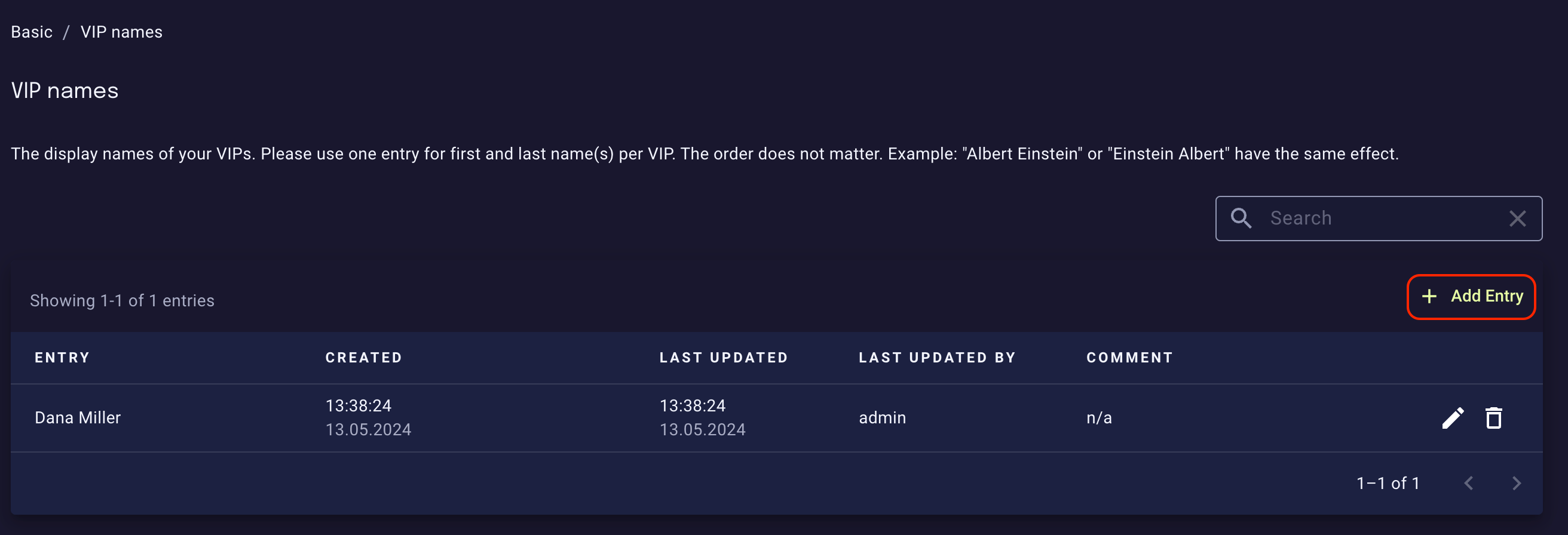
1. Register the first and last name of each of your VIP in the **Basic / VIP names** list by clicking the **Add entry** button below the search input box. This helps to identify Display Name Impersonation Attacks.
Note: For best detection accuracy, add names with umlauts (ä, ö, ü) in both forms (e.g. Müller and Mueller).
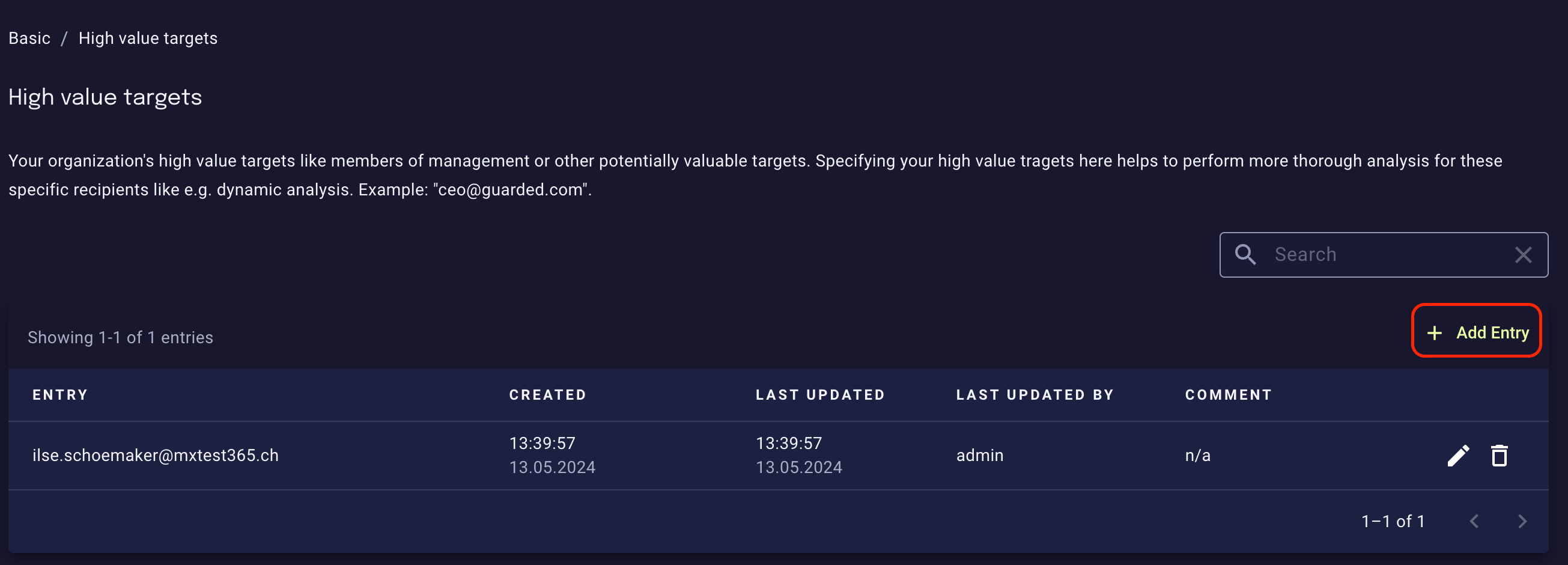
 2. Make sure to add the corporate email addresses of your VIPs to the **Basic / High value targets** list the same way as with VIPs names. This allows the platform to perform more rigorous filtering while maintaining a risk-based, resource-efficient approach for the rest of your organization.
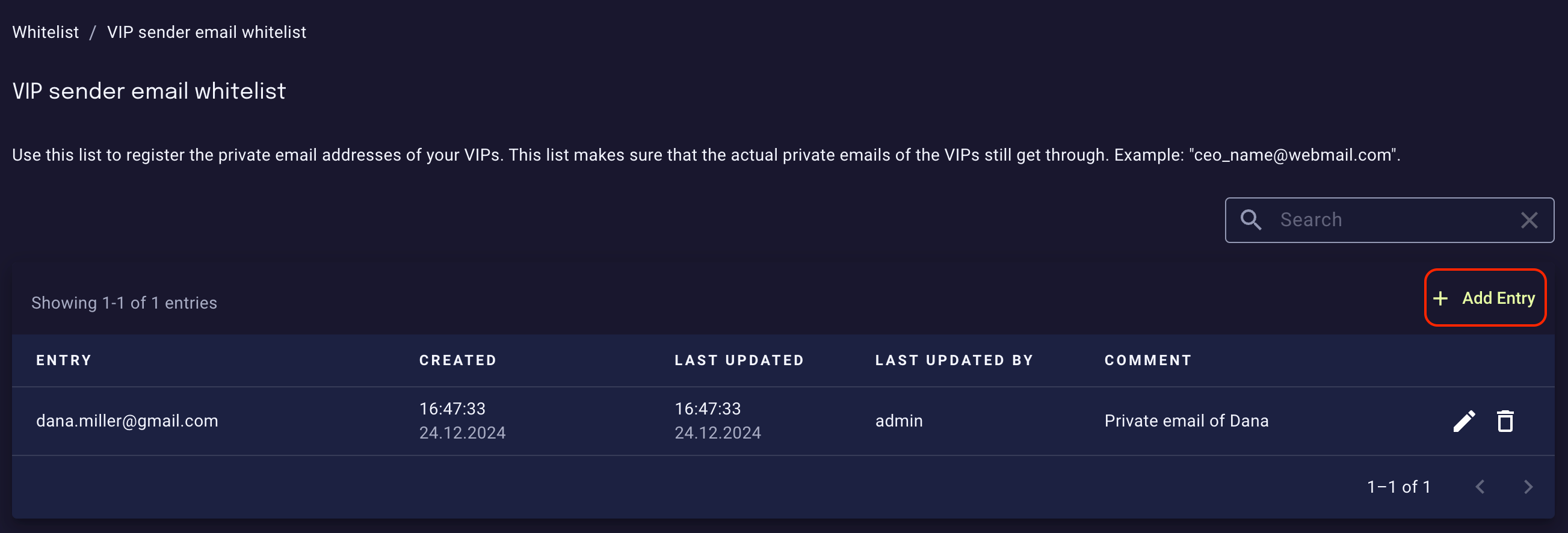
 3. If your organization allows the use of private email accounts for basic information exchange, then make sure to whitelist private email addresses of registered VIPs in the **Whitelist / VIP sender email whitelist**:
 ## Exposed accounts
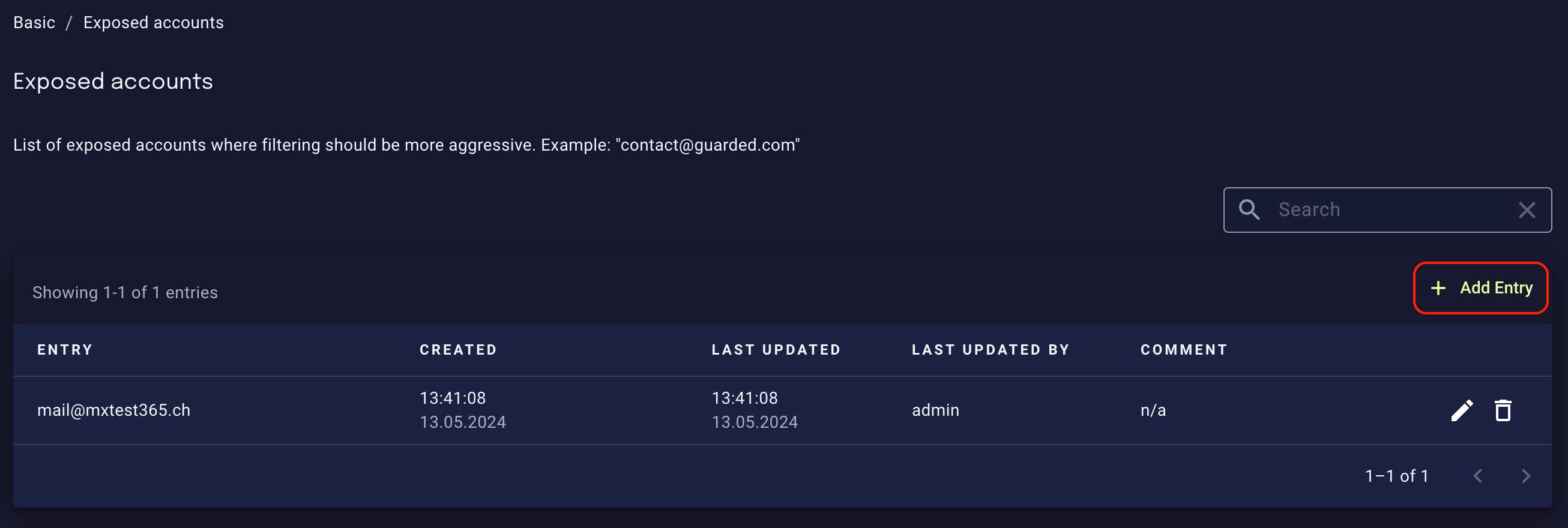
Some people inside your organization might be more affected by malicious email than others (for instance, because they receive emails sent to `contact@yourcompany.com` or because their email is publicly available). To increase spam and phishing protection for them, register their email addresses in the **Basic / Exposed accounts** list:
## Exposed accounts
Some people inside your organization might be more affected by malicious email than others (for instance, because they receive emails sent to `contact@yourcompany.com` or because their email is publicly available). To increase spam and phishing protection for them, register their email addresses in the **Basic / Exposed accounts** list:
 ## Exposed public contacts
To this list, you can the add the email addresses of your organization that should be subject to less aggressive filtering. This will decrease spam and phishing protection for them, but can be useful for certain public mailboxes where you expect a lot of suspicious or malformed emails that should be let through.
There is also a related `regex` list called **Exposed public contacts (regex)**, which makes it handy to assign a group of addresses to be considered as exposed public contacts.
## Exposed public contacts
To this list, you can the add the email addresses of your organization that should be subject to less aggressive filtering. This will decrease spam and phishing protection for them, but can be useful for certain public mailboxes where you expect a lot of suspicious or malformed emails that should be let through.
There is also a related `regex` list called **Exposed public contacts (regex)**, which makes it handy to assign a group of addresses to be considered as exposed public contacts.