

- Click the message in XCC to open it in the Message detail view.
- Click the red button in the top-right area of the screen: Release for mistakenly quarantined benign messages or Isolate for mistakenly delivered malicious messages.
-
When the Release/Isolate Message dialog appears, click to select the Report misclassification option, select the severity of the issue with a slider (see the guide below to pick the right level), optionally add a comment in the input box below the slider, and select one of the three available options of what information you want to share with us:
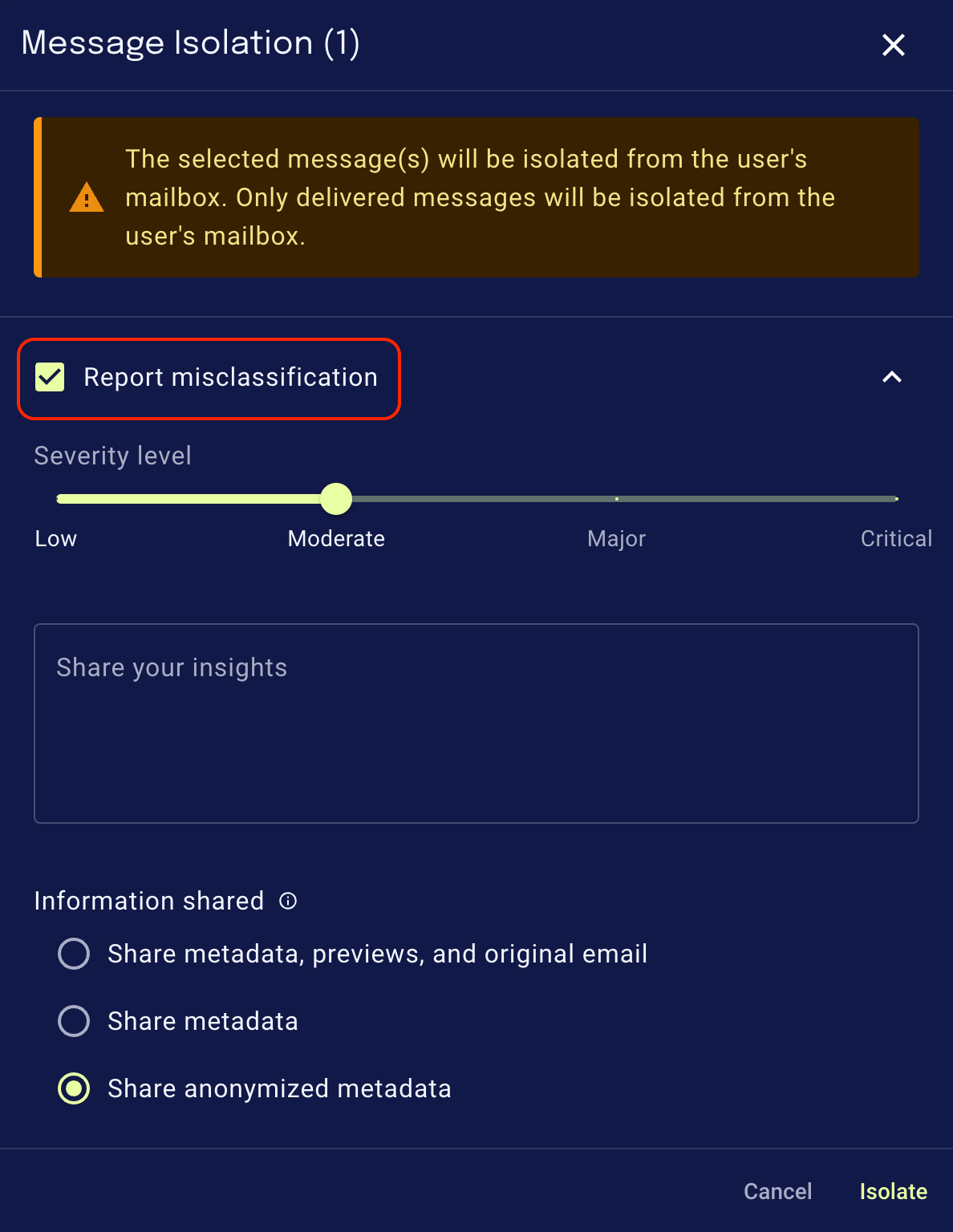
- When you click Release or Isolate, the message will be released or isolated, and the misclassification report will be sent to xorlab (note that we will not send any feedback to you).
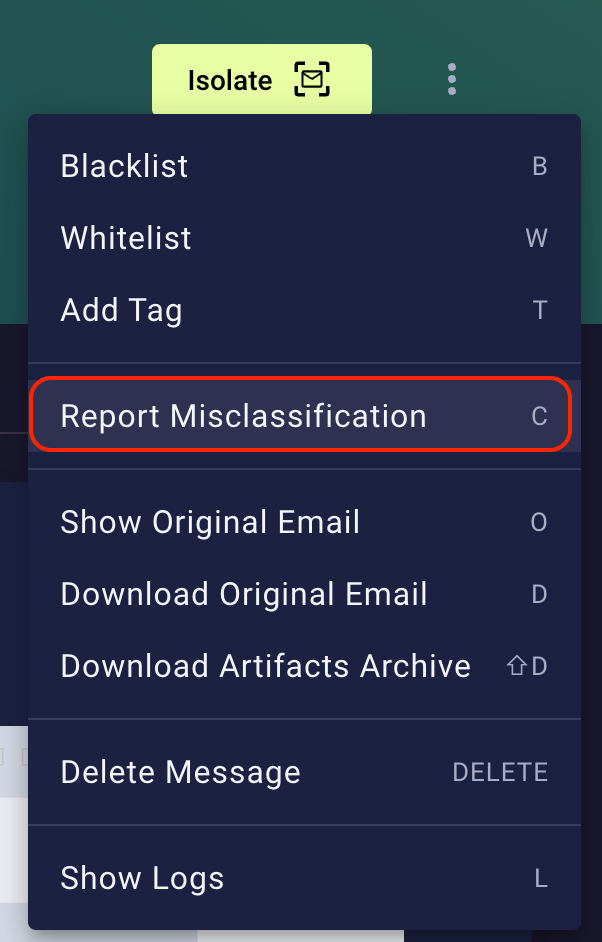
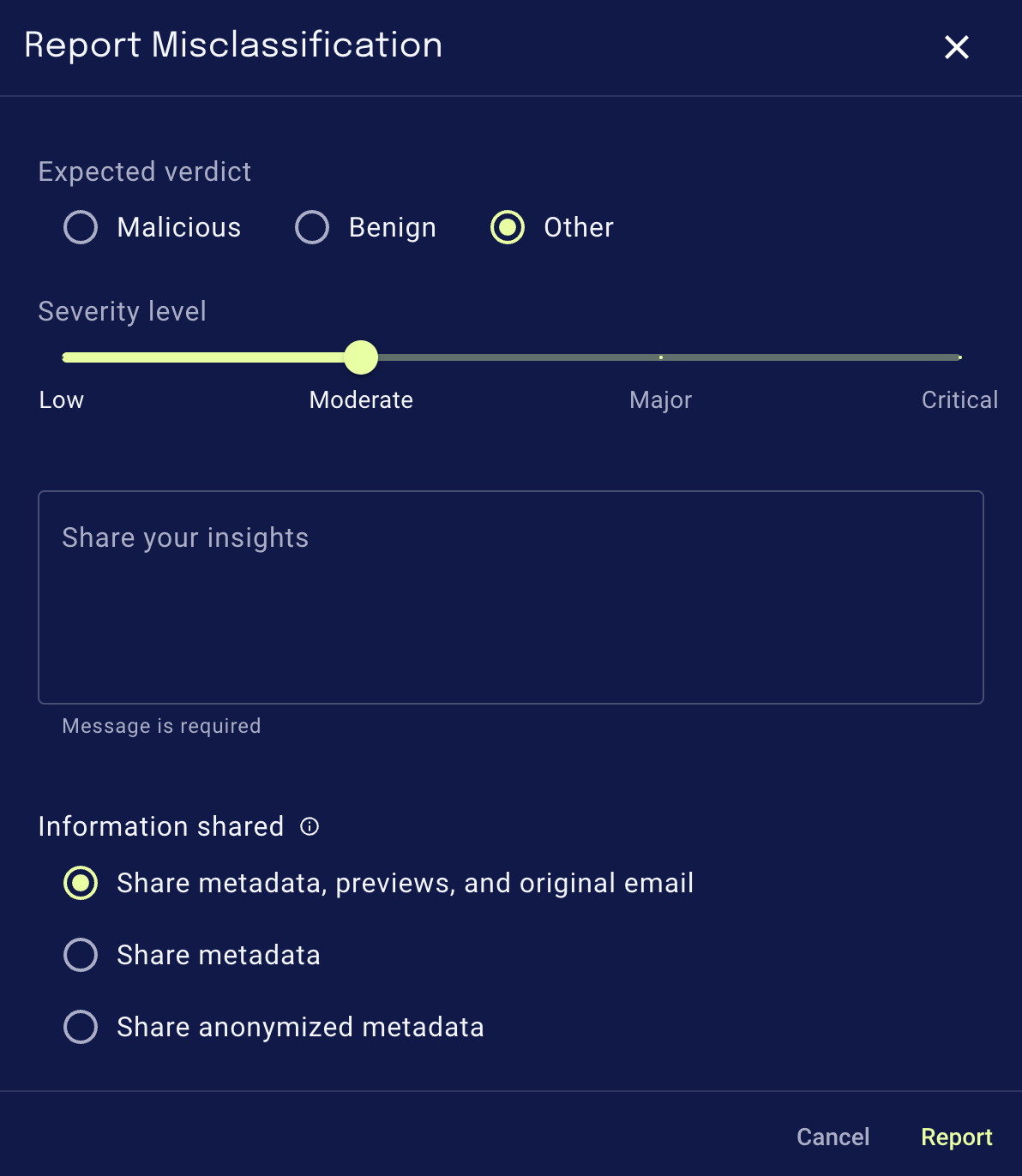
Severity levels
Please follow these guides to find the severity level that fits your case best:When reporting a misclassified malicious email
- Low: unwanted mail with no security impact (e.g., newsletters & marketing, promotions; usually legitimate senders).
- Moderate: pure spam with no/little security impact (e.g., shady promotions, obvious spam, high-volume spam).
- Major: harmful spam or threat with potential security impact (e.g., adult/drug spam, shady financial proposals, phishing, extortion, fraud, impersonation, malware, deceiving, creating a sense of urgency).
- Critical: high-quality, targeted or new, advanced threat with clear harm potential that requires immediate attention (e.g., a missed phishing attack that needed remediation). Please include a comment with critical issues to help us assess them quickly.
When reporting a misclassified benign email
- Low: wanted informational mail (e.g., newsletters & marketing, promotions, legitimate senders).
- Moderate: wanted non-business-relevant or personal email (e.g., notifications from services, no action required after receiving the email, all emails for private purposes).
- Major: business-relevant or critical emails (e.g., business communication, action required after receiving the email, password-reset emails, invoices, travel tickets).
- Critical: business-critical email that required immediate attention (e.g., a quarantined email that required an immediate response, causing potential for business damage, required immediate remediation). Please include a comment with critical issues to help us assess them quickly.
Report a misclassified topic
To report a misclassified topic, please see Report misclassified topics.Configuration
To change the default behavior of misclassification reporting, configure the relevant parameters in thexcc.yml file using the Expert Editor. The values shown below are the defaults. You only need to override the parameters you want to modify, the others can be left out.
Disable misclassification reporting
To fully disable the misclassification reporting feature, add the following toxcc.yml:
Turn off auto-selected misclassification checkbox
Per default, the “Report misclassification” checkbox is always selected. To turn the auto-selection off, add the following toxcc.yml: