

Key Takeaways
- xorlab relies on SPF, DKIM, DMARC and several built-in checks to verify the sender of an email.
- xorlab treats the Header From address as email sender, not the Envelope From. An email is marked authentic only if the Header From is successfully authenticated.
- More information about the sender authentication is found in the detail view.
Understanding authentication
Each email shows a summary of authentication checks in the Authentication box of the detail view. A checkmark next to the header from address indicates whether the email is considered authentic overall.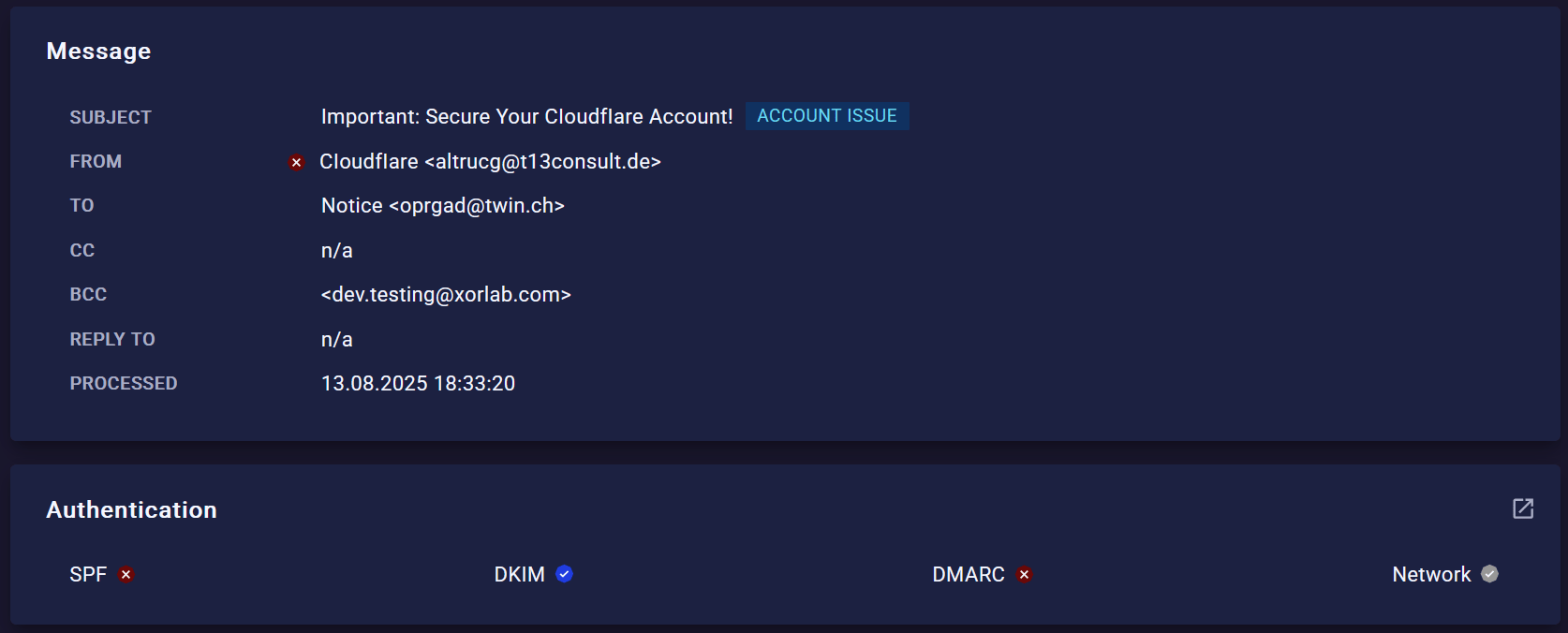
- Blue — Check passed
- Red — Check failed and flagged as suspicious
- Gray — Check unavailable (e.g., missing SPF/DKIM) or failed but not considered suspicious
SPF
SPF checks if the envelope from domain allows the sending server to send emails for it. On its own, SPF doesn’t stop attackers from faking the header from address (the one which is seen in the inbox). That’s why SPF only counts when it also passes DMARC alignment — meaning the envelope from and header from domains match. You can see both in the email detail view.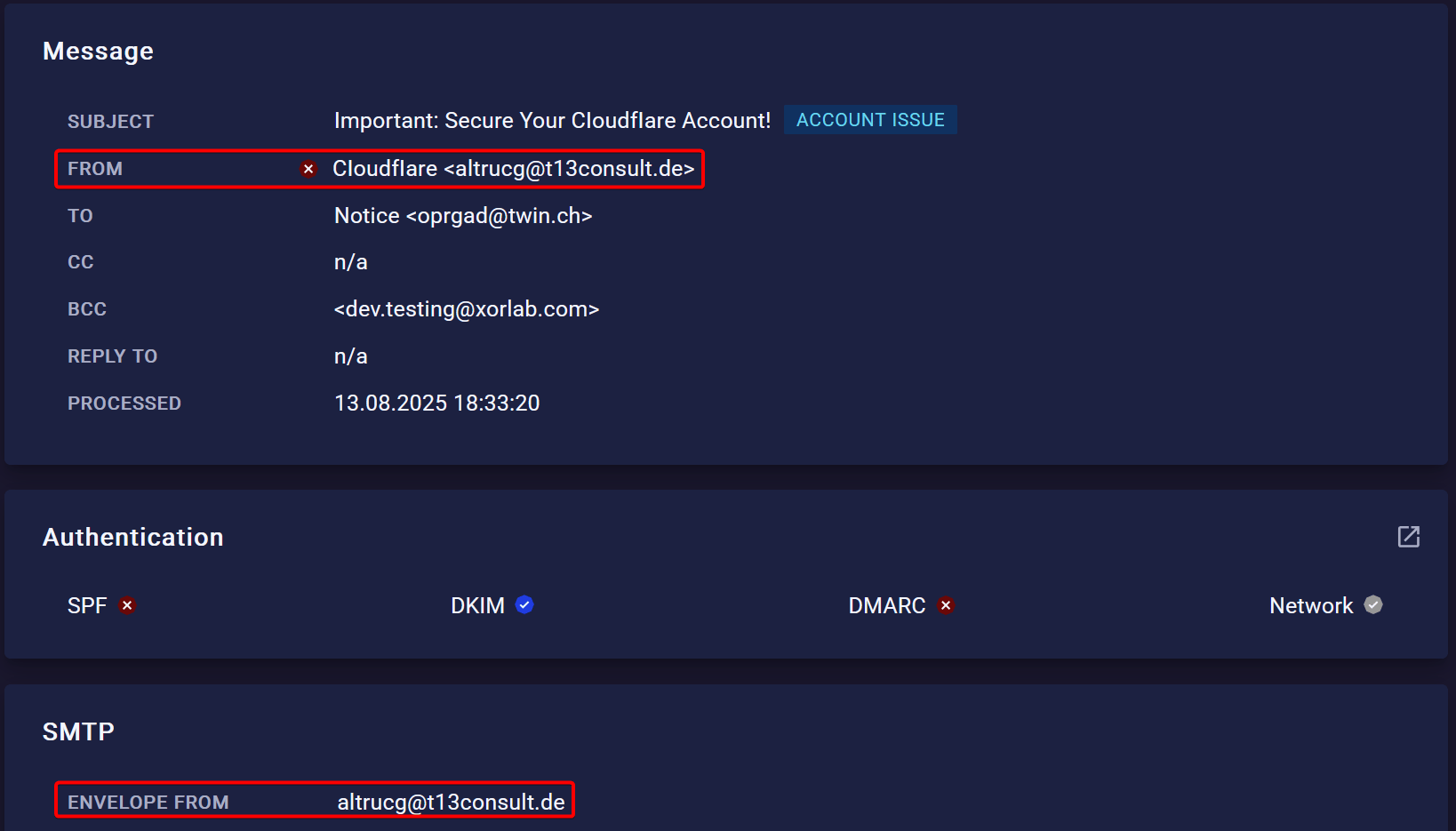
DKIM
DKIM makes sure the email hasn’t been changed on the way by checking its digital signatures. But an attacker could still create a fake email and sign it with their own DKIM key. That’s why DKIM only counts with DMARC alignment — the signing domain has to match the header from domain you see as the sender. You’ll find the signing domain in thedkim-signature header (d= value).

DMARC
DMARC ties everything together. It works only if at least SPF or DKIM is valid, and makes sure they match the visible sender. Specifically:- With SPF, the envelope from and header from must match
- With DKIM, the signing domain and header from must match
Network
The Network check consists of several individual checks. Passing any one of them is enough for the overall Network check to pass and to authenticate the sender. Results are either pass or neutral — there is no negative outcome.
As with DMARC, xorlab only requires the root domains to match in these checks.