The Actions configuration screen defines what xorlab does with an email once it has been classified: deliver it, rewrite its subject, or quarantine it. Actions are chosen from the email’s verdict and confidence — see List of Verdicts for how the final verdict is resolved, and Understanding an Email Verdict for how a message gets one.

Review the default actions

Review the default protection settings of xorlab:
  1. Open Admin → Actions in XCC. Review the configured actions per confidence and verdict.
    1. For a more aggressive detection, set the Medium Confidence of the verdicts to quarantine.
    2. Change the default Subject Rewrite of [SPAM] if required.
    3. Setting Low Confidence to quarantine is not recommended as it will create false positives.
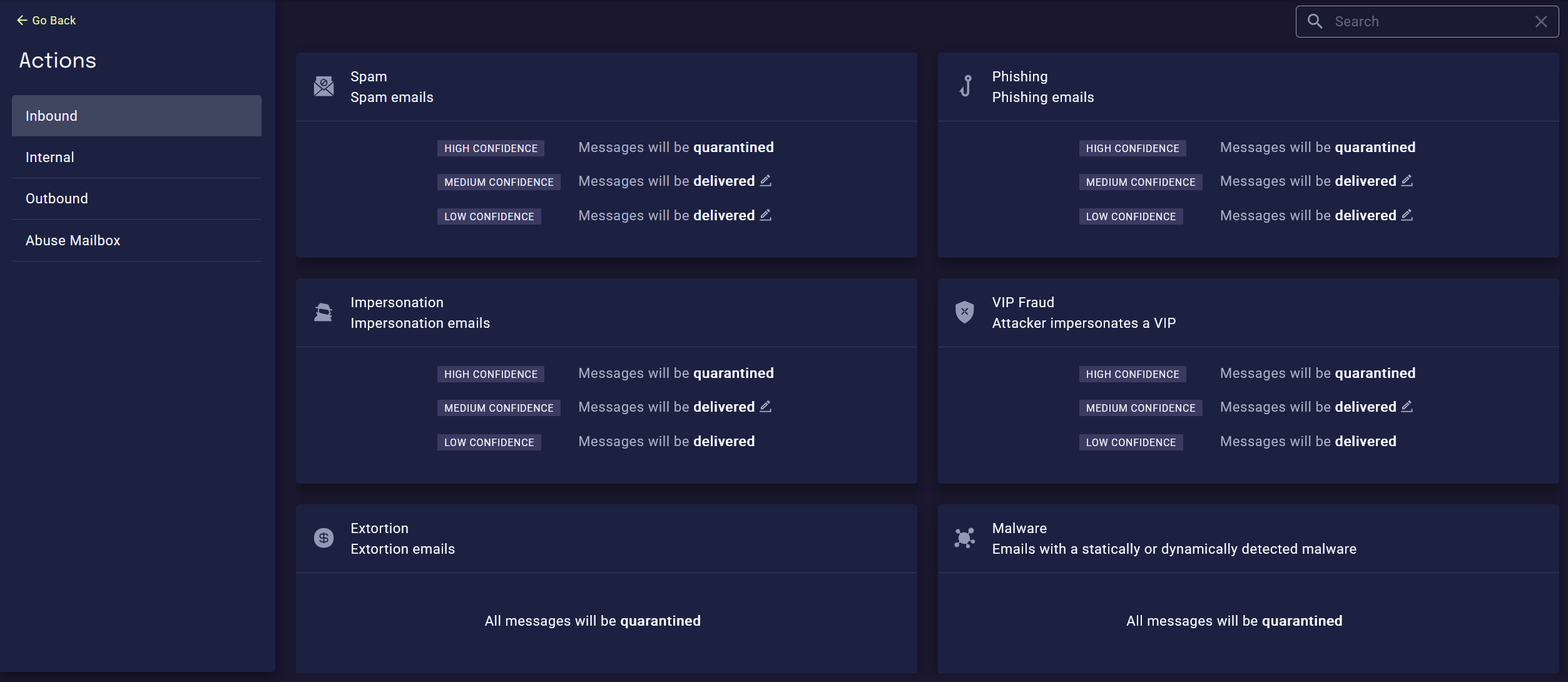
    Default actions
  2. In addition to the configured Actions, xorlab can quarantine an email due to a static policy. Go through Review Static Policies.
For changes this screen cannot express, see Tune Detection and Rule Parameters.

Multi-Tenancy

Actions are configured per tenant. Select the tenant in the dropdown, then review its Actions. To give a tenant a different detection strength altogether, reference a different rule profile for it.