

Inline mode diagrams
In Inline mode, xorlab filters all emails and sends the benign ones to the next hop. Depending on if xorlab is the gateway or an add-on, the integration looks different.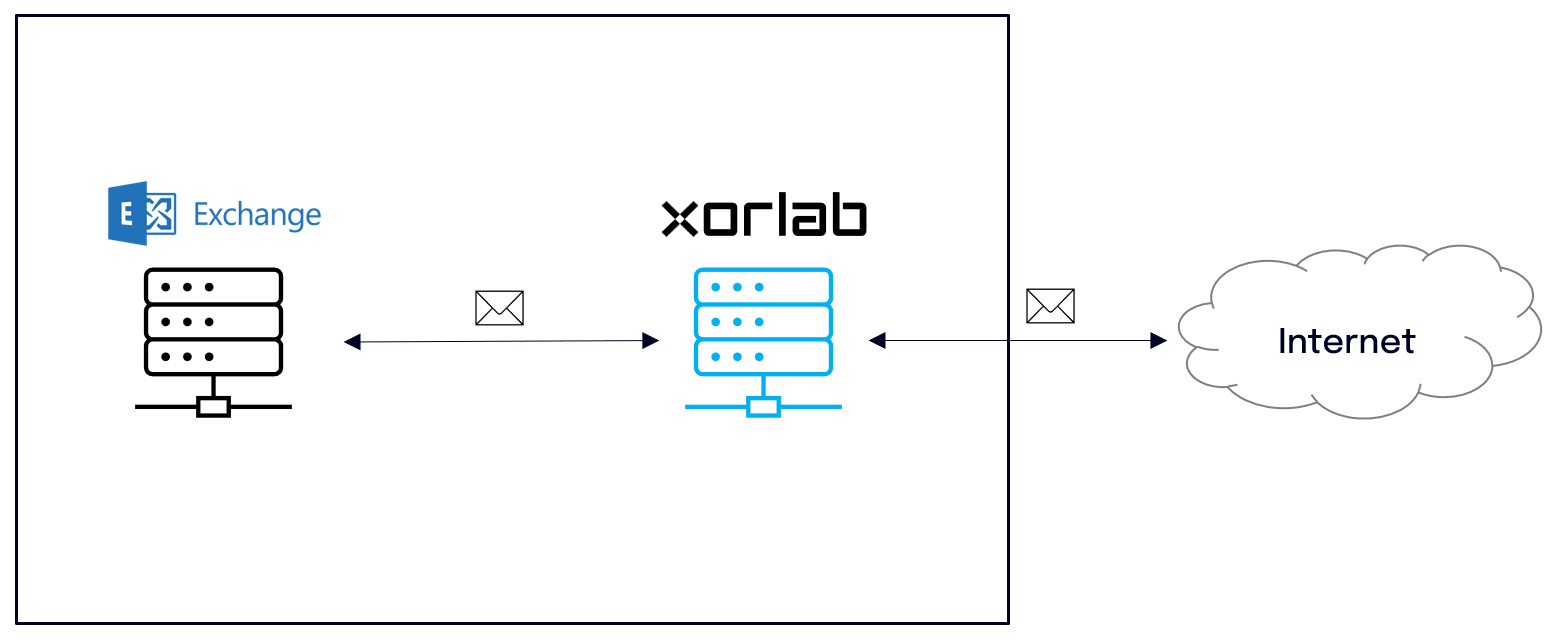
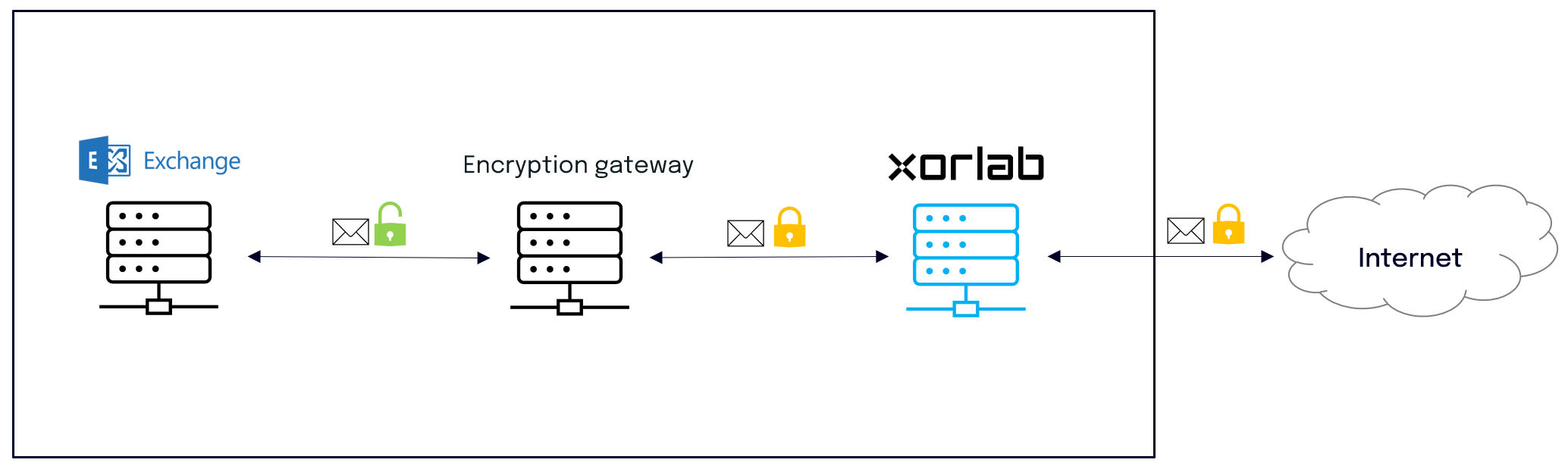
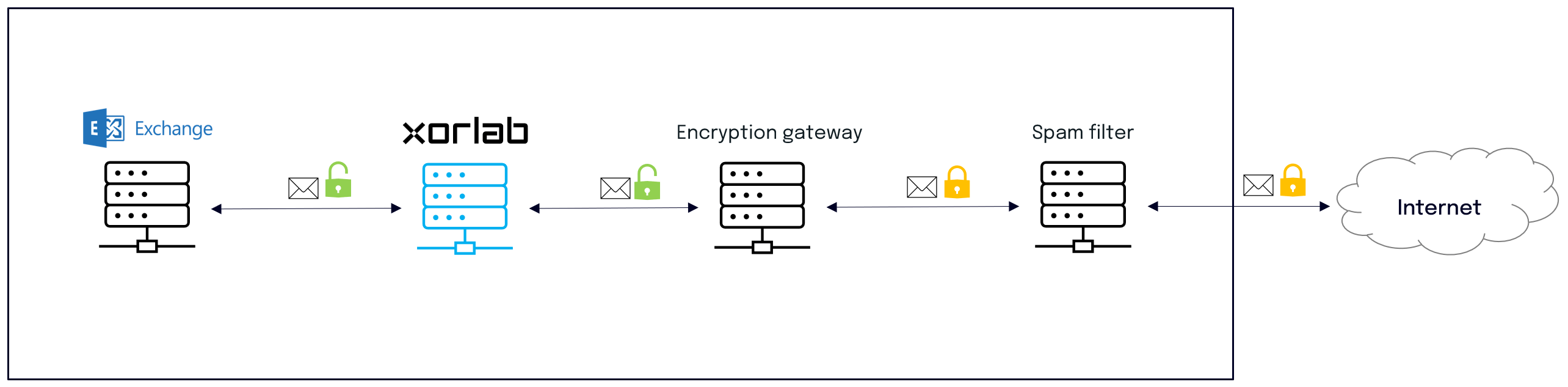
Monitoring mode diagrams
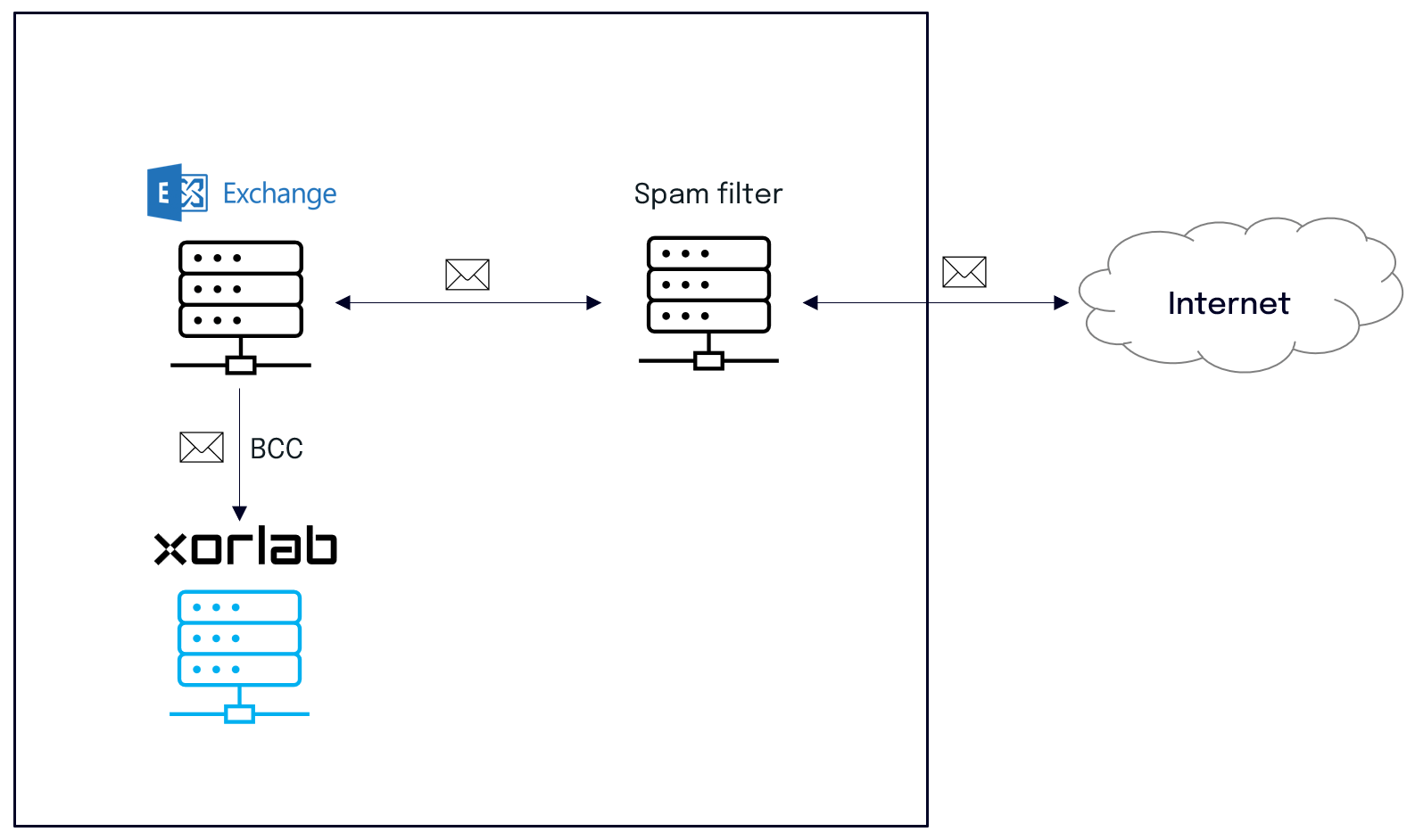
In Monitoring mode, xorlab receives only a copy of every email and discards it after processing. The copy can be setup either on the gateway or on the Exchange server.EvaluationIf you plan to evaluate xorlab as an add-on to an existing solution, setup the BCC on the Exchange server. In this way you can quickly evaluate the additional security that xorlab provides on top.
BCC from gateway
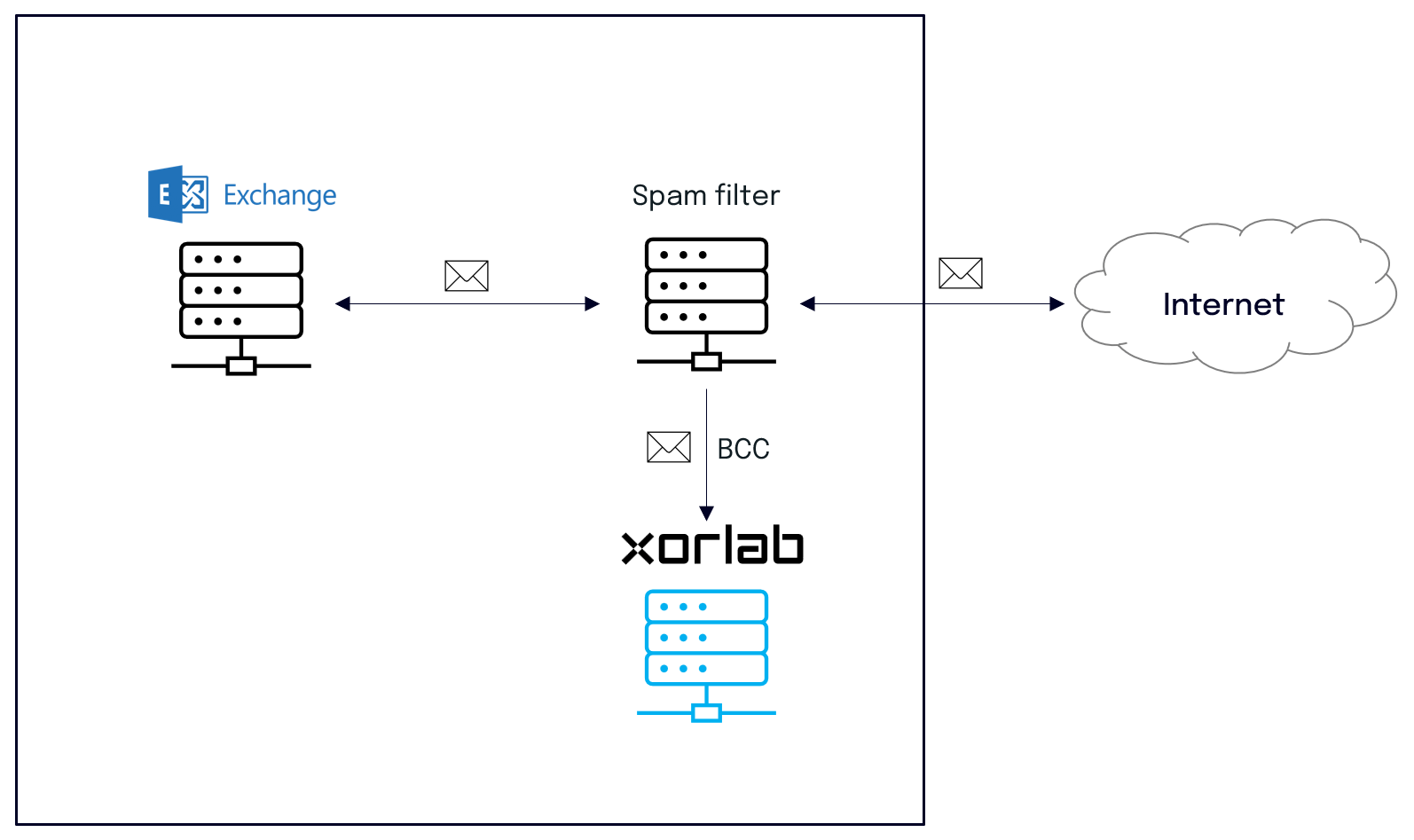
BCC from Exchange
Multi-Tenancy
If you protect more than one organization with the same xorlab instance, follow Add a Tenant instead of the table above. It uses the same guides, but adds the per-tenant configuration around them:- Configure the domains and routing of the tenant with the topology that matches your setup, see Configure Tenant Domains and Routing.
- Set up SAML or LDAP per tenant, see Enable Tenant Login.
- Configure the trusted infrastructure per tenant or in a shared config template, see Trusted MTAs In-Depth.
- Assign reported emails to the right tenant, see Assign Reported Emails to Tenants.