

- Open the email in the detail view
-
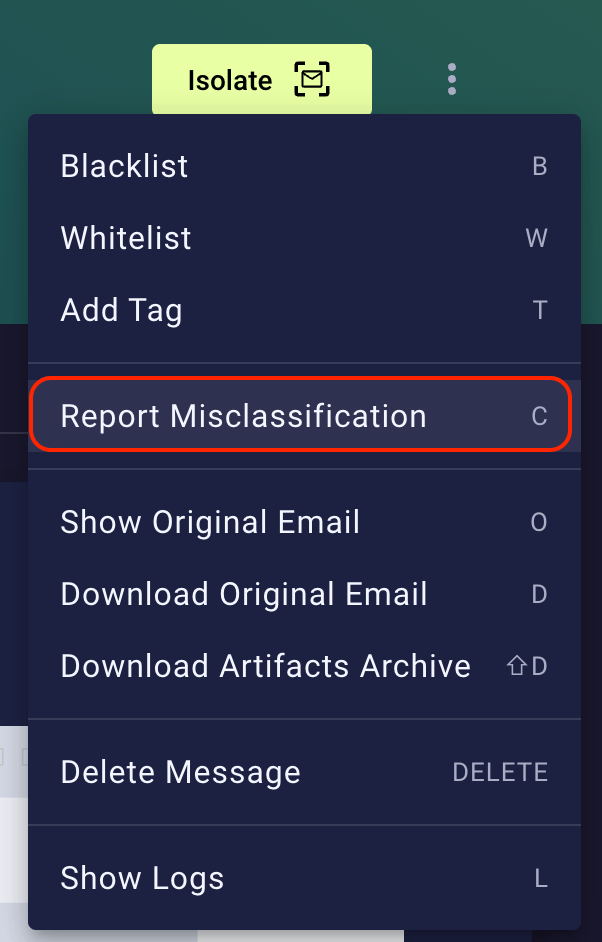
Click the three dots in the upper right and choose Report Misclassification:
-
In the new dialog, choose the Expected verdict and select the severity of the issue with the slider (see the guide below to pick the right level)
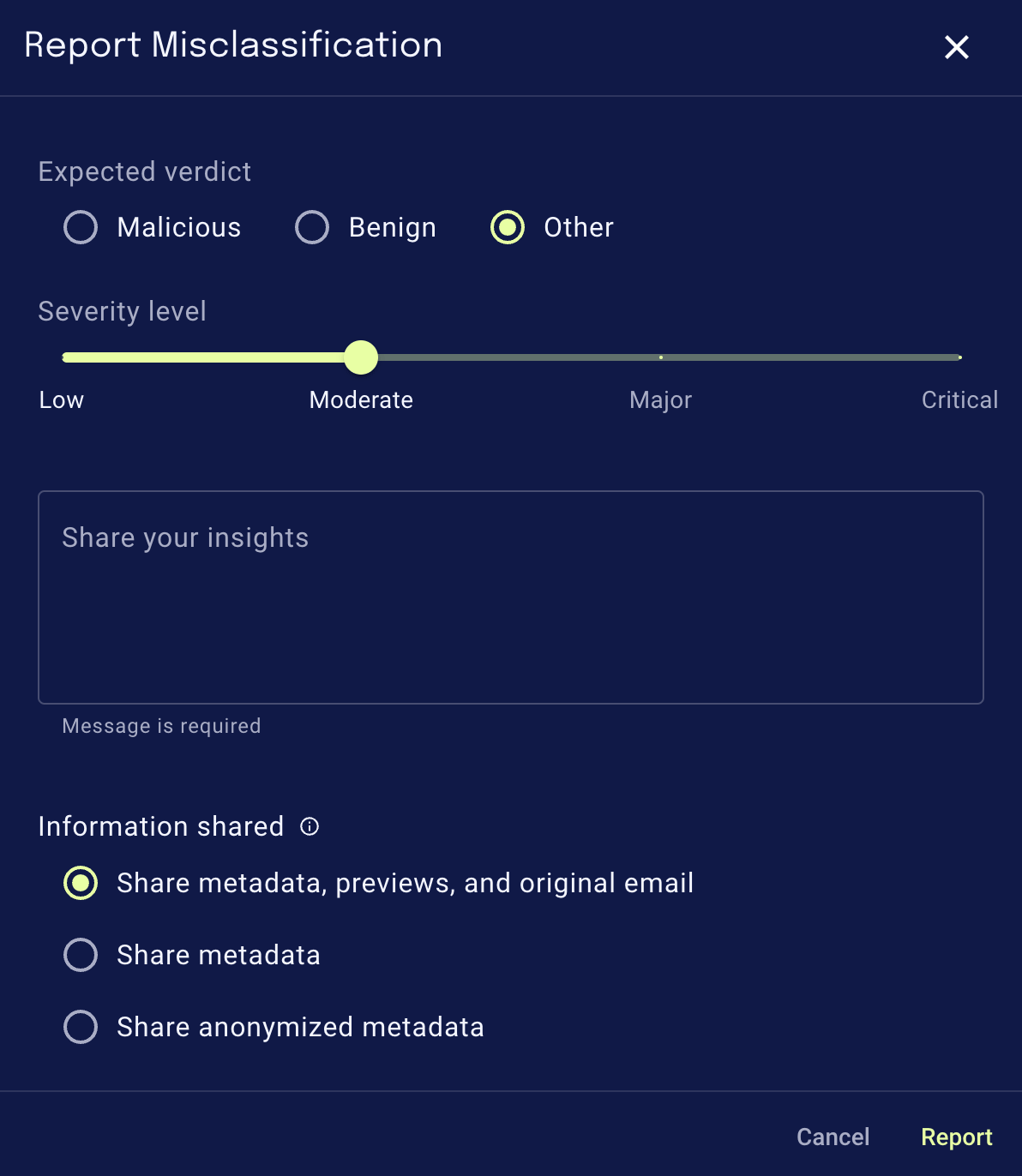
- Optional: Add a comment clarifying the reason for this misclassification report.
Report locationsBesides the above shown way, you can also report a misclassification whenever you:
- Release an email from the quarantine
- Isolate an email
- Resolve a reported email