

Loggers and Appenders.
Loggers
XSP services produce log events and use various Loggers to inject them into the logging system. A logger may or may not decide whether to have log events being consumed by one or more appenders. Loggers are organized in a hierarchical structure, similar to a family tree. At the top of this hierarchy is the ROOT logger, the “parent” of all other loggers. Other loggers branch out from theROOT, creating a structure that helps categorize and manage different types of events. All log events passing by a specific logger are fed into appenders attached to it.
For Audit events, the system uses the logger matching its event name . For example, an audit log event with name audit.user.incident will be fed into a logger with that corresponding name.
additivity to false, preventing the event from traveling further up the tree. This is useful for avoiding duplicate recordings of the same log event.
Conveniently, the names of the events that occur in the system correspond directly to the names used for loggers. This naming convention simplifies the process of identifying and tracking events, as the logger names clearly indicate the type of event being recorded.
Appenders
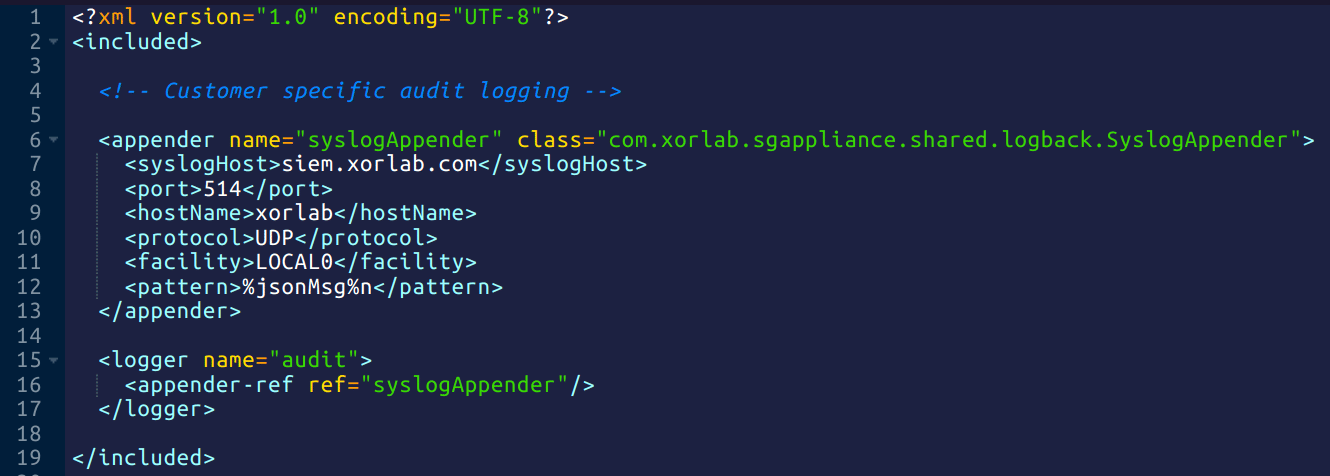
An Appender specifies where logs are sent and how they are formatted. It receives log data from the logger and directs it to the next destination whether that’s a file, an email, a database, or a remote server via syslog. The appender also defines the log format, allowing you to include details like timestamps and to store logs as plain text, JSON, CEF, or other formats. Multiple appenders can be attached to a single logger, enabling the same log event to be recorded in different locations and formats simultaneously. For example, one appender might write logs to a file, while another sends them to the console, ensuring your logs are always available where and how you need them.Flow of events
- The process begins with a log event being created and placed within the relevant logger in the tree, such as
audit.user.incident. - The log event then travels upward through the hierarchy
- As it moves up, each logger it encounters checks for attached appenders.
- If appenders are present, they will record the log event in the specified location and format.
- If a logger’s additivity is set to false, the log event stops moving up the tree and does not reach any higher loggers.
- Otherwise, the log event continues to travel up the tree until it reaches the ROOT logger.