

- Log in to the Entra ID Portal.
-
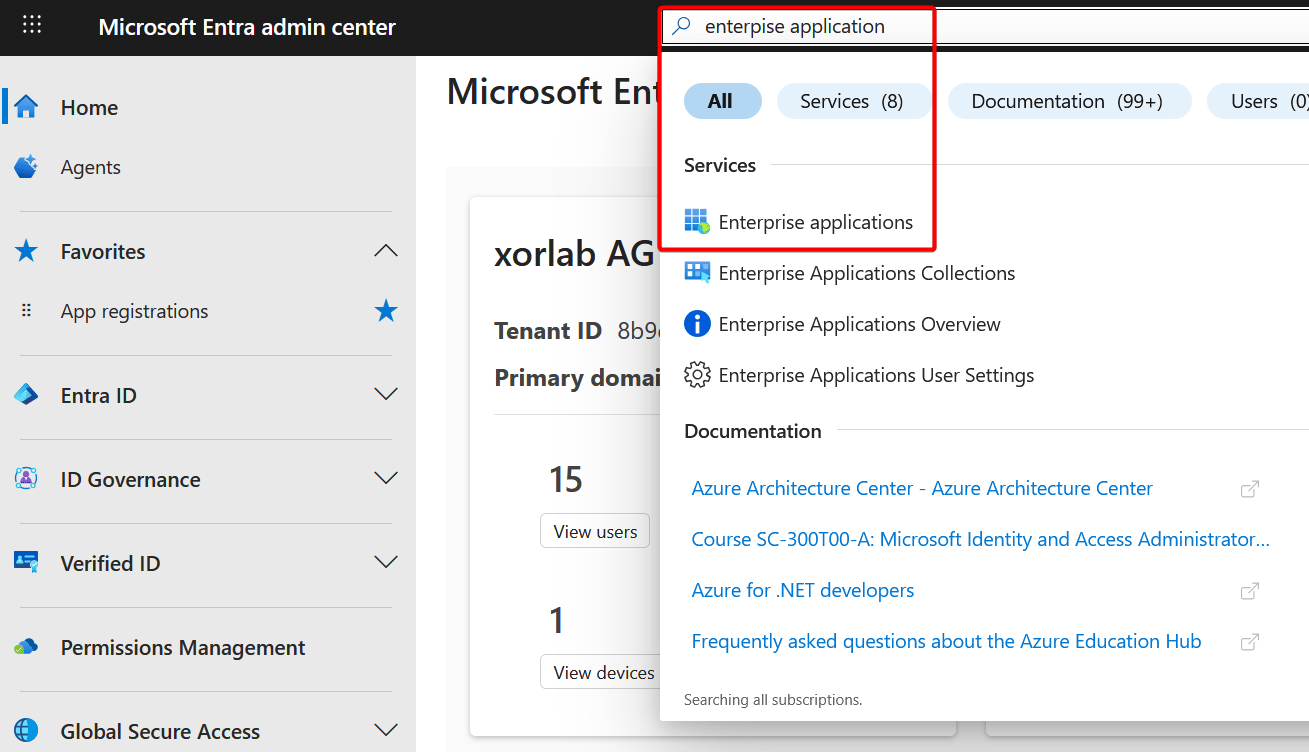
Go to Enterprise Application via the search:
-
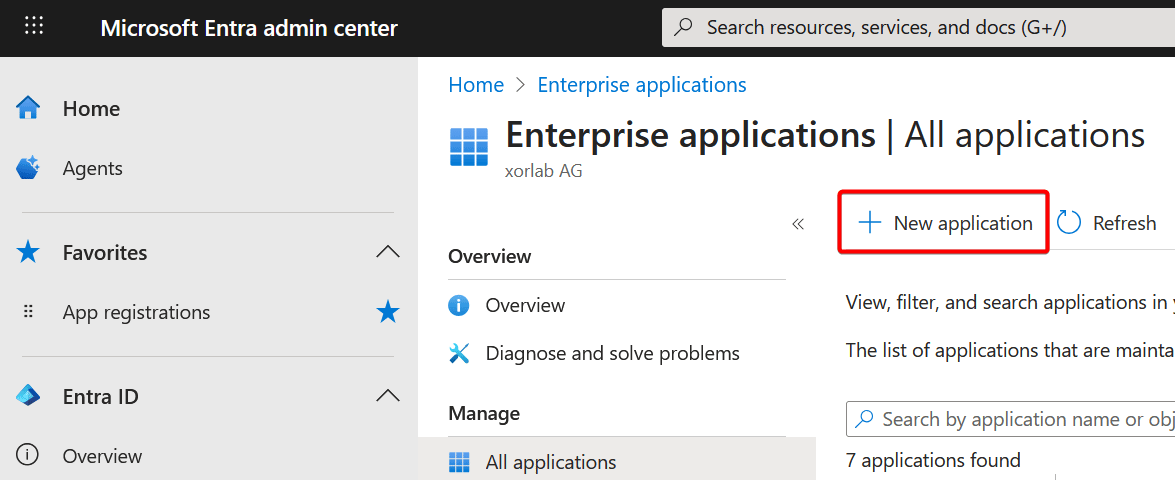
Click New application:
-
Click Create your own application. Enter
xorlabas name. Select Integrate any other application you don’t find in the gallery: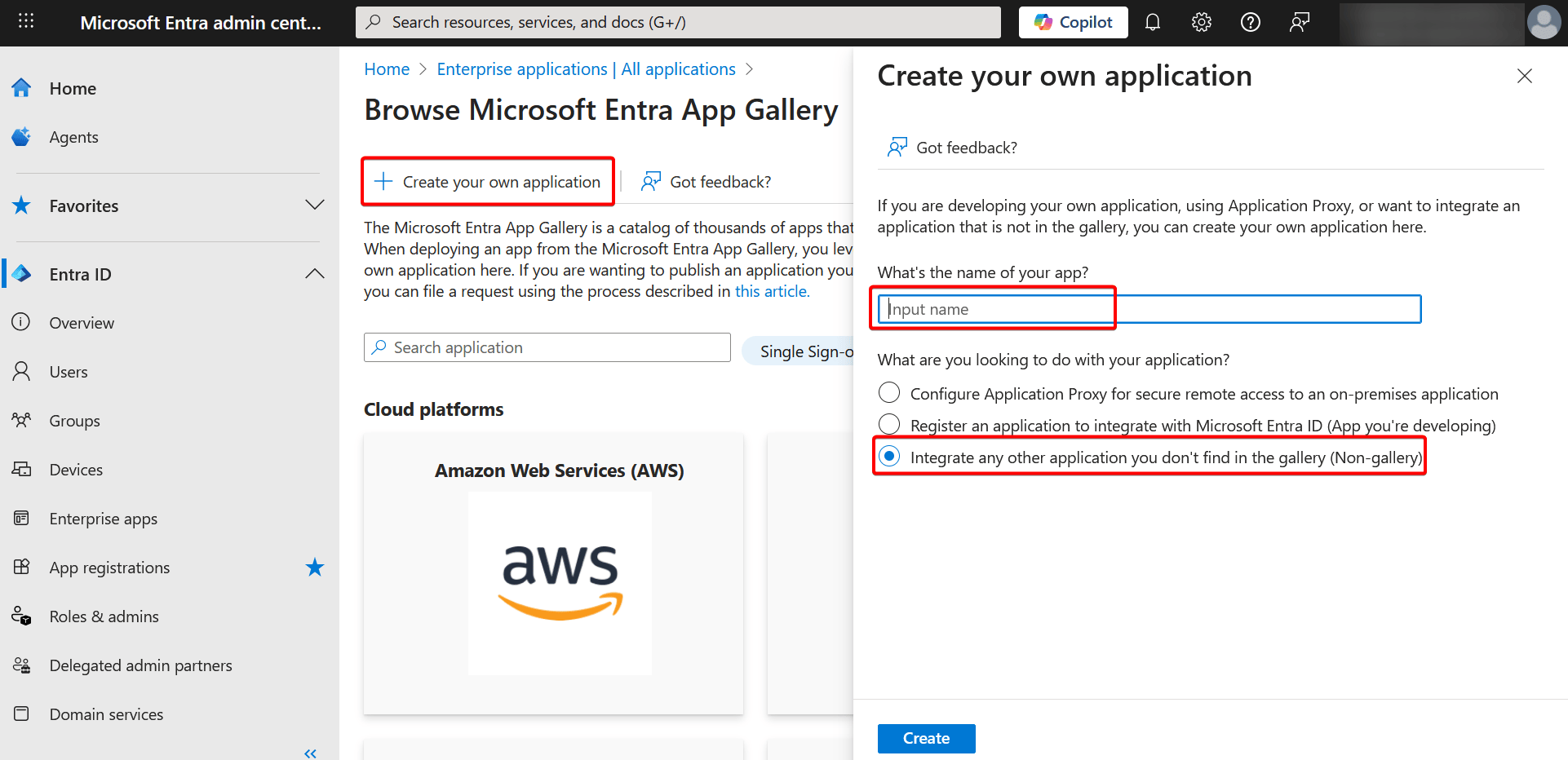
- Click Create. The application is now available under App registrations → All applications.
Next steps
Continue with the mandatory SAML login first: Then enable the protection mode for your tenant, which is also mandatory:- Either M365 Monitoring Mode or M365 Inline Mode
- Retrospective Email Scanning — run this before the tenant goes inline, as it is not supported for inline tenants
- Case Isolation