

Inline mode diagrams
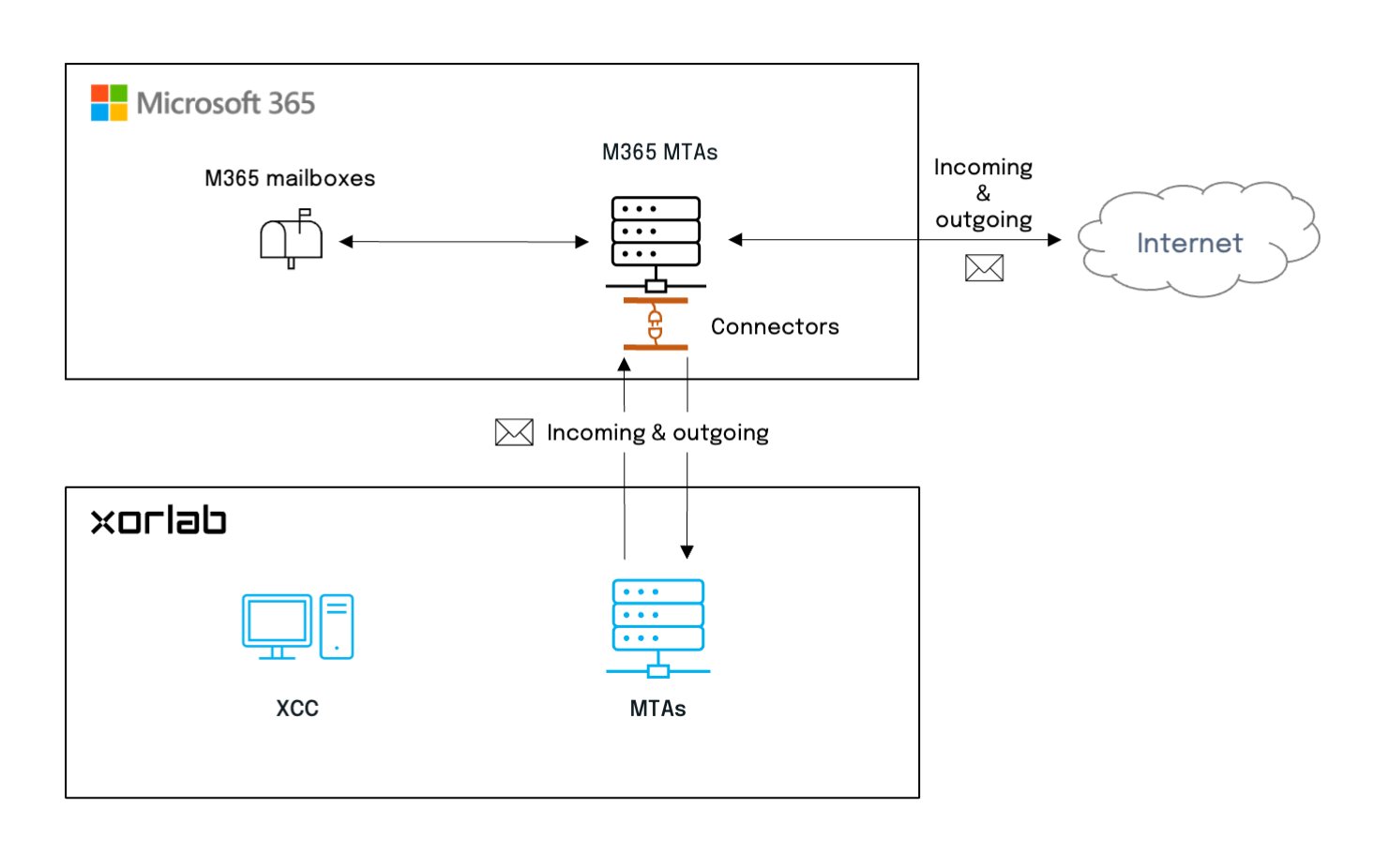
In Inline mode, xorlab filters all emails and sends the benign ones back to M365 for final delivery.M365 Inline mode
Monitoring mode diagrams
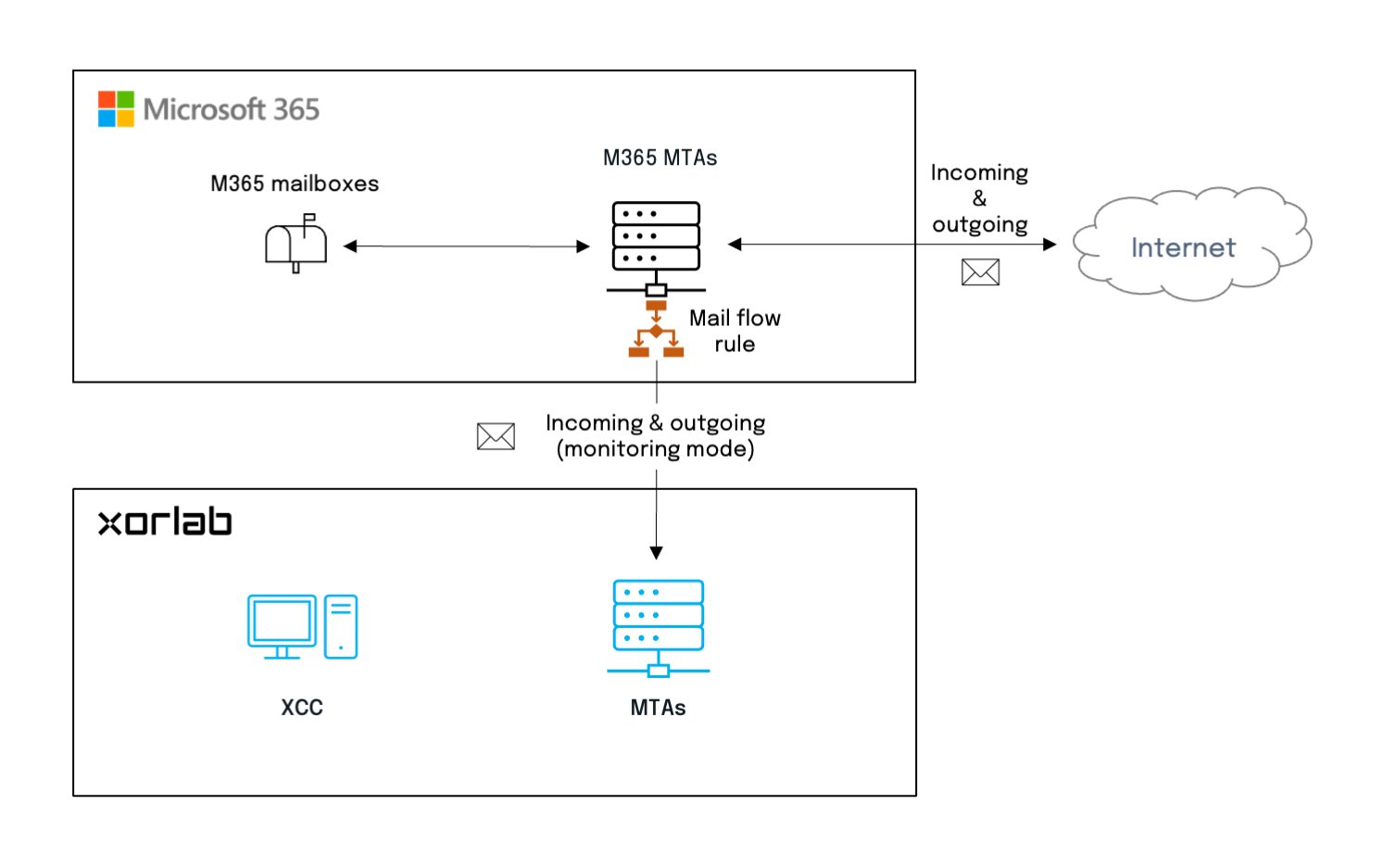
In Monitoring mode, xorlab receives only a copy of every email and discards it after processing.M365 Monitoring mode
Multi-Tenancy
If you integrate more than one M365 tenant with the same xorlab instance, follow Add a Tenant instead of the table above. It uses the same guides, but adds the per-tenant configuration around them:- Configure the domains and routing of the tenant with the M365 topology.
- Set up SAML per tenant, see Enable Tenant Login.
- Assign reported emails to the right tenant, see Assign Reported Emails to Tenants.